The first thing a viewer sees
Join most church streams ten minutes early and you’ll see one of three things: a black screen, a frozen logo, or a camera pointed at an empty stage with no sound. Each one tells an early viewer the same thing: you’re early, and nobody planned for you.
The people who show up early are often the ones who most want to belong: the homebound member who’s been ready since 9:30, the visitor nervous about their first time, the family across the country who wants to say hello before it starts. The welcome loop is how you greet them.
What goes in the loop
Build a loop of about five minutes and start it ten minutes before service. Include:
- A welcome slide that addresses online viewers directly. “Good morning to everyone joining from home” lands better than a generic “Welcome to Grace Church.”
- Service times and what’s happening today. One slide, not the full announcements list.
- How to request prayer. A short link or QR code, the same one used all service. This is the most important slide in the loop.
- An invitation to say hello in the chat, and a promise that someone will answer. Only promise it if a chat host is actually there.
- A countdown to the start. It tells viewers they’re in the right place at the right time.
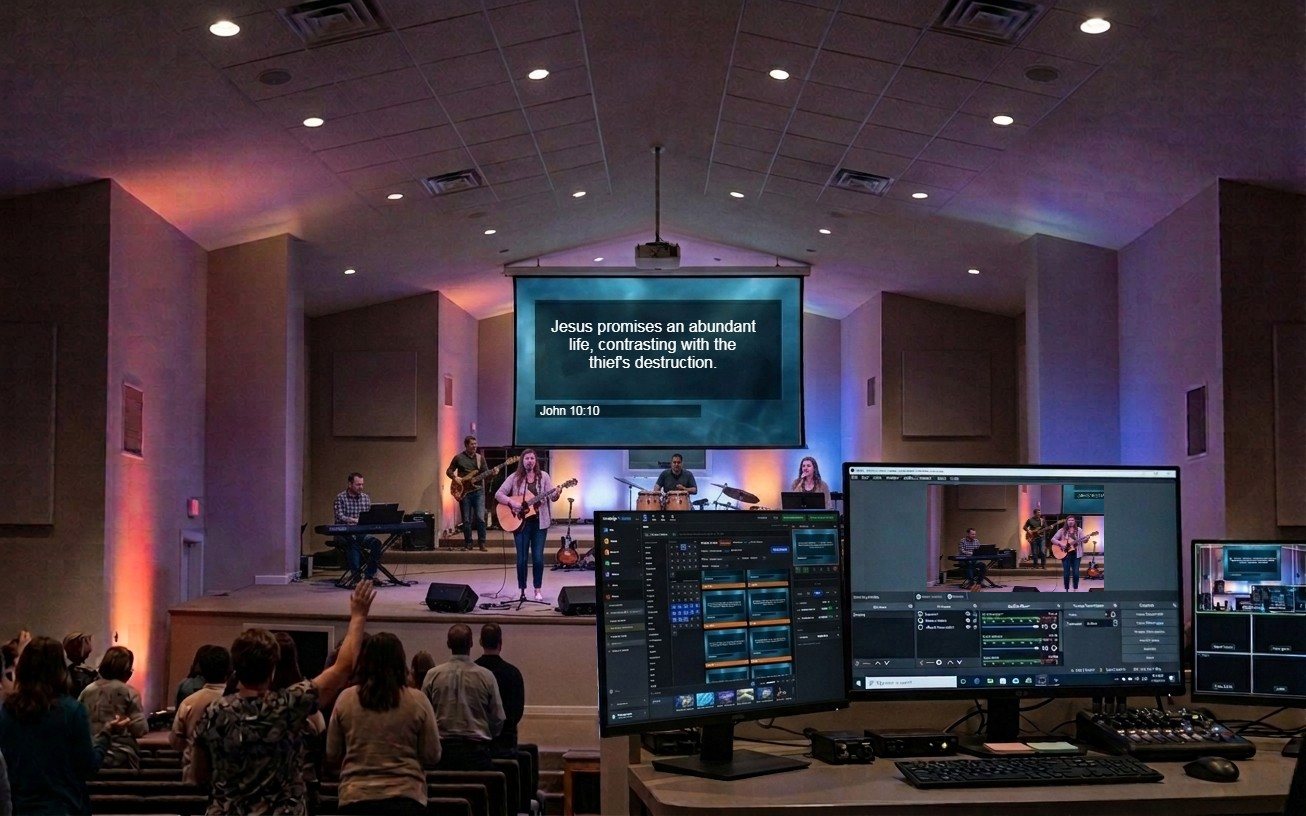
- If you can, a live wide shot of the room filling up. Nothing says “this is a real church with real people” like watching them arrive. Cut to it between slides, or run the slides as a lower third over it.
Keep the loop’s audio simple: soft instrumental music or the room’s ambient sound. Dead silence makes viewers think the stream is broken.
Two lower thirds that welcome rather than promote
Most church lower-third templates promote something: an upcoming event, giving, next week’s sermon series. Those have their place. But design at least two whose only job is to welcome:
- “Watching from home? We’re glad you’re here. Say hello in the chat.” Run it about three minutes into the service, after the opening song settles.
- “Need prayer? Here’s how.” with the short link. Run it twice: once during the opening welcome and once just before the sermon.
Two small graphics, each on screen for about ten seconds, change how the whole stream feels to someone watching alone.
Building it in Present
Present, the presentation tool in WorshipMetrics, has everything a welcome loop needs. It runs in a browser and is free to start.
- Countdowns to a set time, with warning colors as the start approaches.
- Looping media with fades, so a welcome video or room shot can repeat cleanly.
- Lower thirds and message overlays for the two welcome graphics, saved as reusable items so nobody rebuilds them every week.
- Built from the service plan: the loop sits at the top of the playlist with the songs and announcements, so it’s part of Sunday’s prep instead of something someone remembers at 9:50.
Build the loop once, then change one slide each week to reflect that day’s service. It should take five minutes of prep, not fifty.
The end of the service needs the same care
The loop welcomes people in. The last screen sends them somewhere. When the service ends, put one next step on screen: the same prayer link, an invitation to a group, or a “plan your visit” page. Five competing links get no clicks; one gets acted on. Decide which one with your stream purpose statement.
If you’re the pastor, the volunteer, or the tech director
Pastor: say the welcome yourself in the first two minutes, looking into the camera. A slide can’t replace a pastor saying “we see you.”
Volunteer: own the loop. Start it on time, check the prayer link works, and swap in that day’s slide. It’s a small job that makes a big difference.
Tech director: make the loop impossible to forget. Put it at the top of every service plan template, and check the Sunday checklist so the stream is actually live when the loop starts.
Print it: the free Online Ministry Checklist puts this and the rest of the weekly online routine on one page for your team.
Keep it consistent: see one look everywhere: church branding across stream, slides, and clips.
Related questions
- What should a church live stream show before the service starts?
- A short looping welcome: a welcome slide that greets online viewers directly, service times, how to request prayer, a countdown to the start, and if possible a live wide shot of the room filling up. Start it about ten minutes before service.
- How long should a pre-service loop be?
- About five minutes, set to repeat. Long enough that early arrivers don't see the same slide twice in a row, short enough that nothing on it goes stale.
- What is a welcoming lower third?
- A lower third whose job is pastoral rather than promotional, such as 'Watching from home? We're glad you're here. Say hello in the chat.' or 'Need prayer? Here's how.' Most churches only run promotional lower thirds, so viewers never hear they're wanted.
What Is Our Church Live Stream Actually For?
NextThe Six-Metric Weekly Report: Measuring What Matters in Church Media Ministry
Related Articles

Bitfocus Companion + ATEM Mini: A Stream Deck Panel for Your Church Switcher
A Stream Deck running Bitfocus Companion turns a Blackmagic ATEM into plain-word buttons with colors that show what's live, and the same panel can run PTZ cameras, projectors, and more. Here's how to connect Companion to an ATEM and build a volunteer page.

Lyrics Over the Camera on an ATEM Mini: Luma Keys, Chroma Keys, and the Slides Computer
To put song lyrics over the camera shot on a Blackmagic ATEM Mini, feed the slides computer into an ATEM input and key it over the camera. Here's how luma and chroma keys work for lyrics, how to design slides that key cleanly, and who should run it.

ATEM Mini + OBS for Church: Hardware Camera Switching with OBS for Graphics and Streaming
Many churches use an ATEM Mini as a camera switcher and send its output into OBS over USB as a webcam. The ATEM gives volunteers real buttons; OBS adds lyrics, graphics, recording, and streaming. Here's how to set it up, split the jobs, and avoid the common sync and quality problems.