Stop asking one tool to do everything
Churches often pick one platform and expect it to do every job: be found, be watched, hold conversations, and care for people. No platform does all of that well. Each is good at something different:
| Platform | Best at | Not built for |
|---|---|---|
| YouTube | Search, replay, and a library that keeps working for years | Personal conversation |
| Local visibility and sharing among people who already use it | Long-term discovery, privacy | |
| A private community (such as Discord) | Ongoing, honest, relational connection | Being found by strangers |
| Your building | Embodied belonging | Reaching people who can’t come yet |
Put simply: use public platforms to be found, a private community to help people be known, and the gathered church to show what relationship becomes when trust has room to grow.
Public platforms are a gift. Use them fairly.
Once churches see the limits of social platforms, some swing too far the other way. Don’t. Public video helps sermons travel, lets testimonies spread, and makes church life visible far beyond the building. That’s real ministry.
Public platforms are also where people notice your church. They’re usually not where people say the truest thing about themselves. Few people will mention grief, addiction, or doubt in a public comment thread, and that’s wisdom, not weakness. So use public platforms for greeting and encouragement, and give deeper conversations a private path.
YouTube is your archive
A sermon preached in March can still be found in October by someone who wasn’t looking yet in March. For a viewer who isn’t ready to walk in or send a message, your archive is often their first real encounter with your church. Treat it as a ministry, not a backup.
Habits that pay off over time:
- Search-friendly titles. Not “Sunday Service 11-3-25.” Instead: “What Jesus Meant by ‘I Am the Vine’ | John 15 Sermon.” People search for questions and topics, not dates.
- At least four playlists. Full Services for regulars, Sermons for searchers, Worship for people who want to sing along on a Tuesday, and Announcements for members who missed Sunday.
- Short clips within 48 hours. Three to six minutes, with a clear hook in the first few seconds. A four-minute moment gets shared far more often than a ninety-minute service. (See clipping sermons for social media.)
- End screens with a real next step. Someone who watches to the end of a sermon is at the highest-intent moment you’ll get. Point them to a prayer link or a what to expect page, not just “subscribe.”
- Searchable for your own people too. A sermon archive your members can search by topic or scripture keeps old messages useful.
Facebook works best natively
Facebook still reaches some communities and age groups better than any other platform. But it tends to show posts with outside links to fewer people. So:
- Upload clips directly to Facebook, with a short post that stands on its own. The video plays in the feed without anyone leaving.
- Stream live to Facebook alongside YouTube if your people are there. (See streaming to YouTube and Facebook at the same time.)
- Save YouTube links for your website, email, and private community.
The private community is the missing middle
Between anonymous watching and walking through the door, most churches have nothing. A private, moderated community fills that gap. It gives people a low-pressure way to take one relational step, and it keeps the church connected between Sundays. Read the church Discord setup guide for a starter structure and safety rules.
Make a simple platform chart
Sit down with your team and fill in three columns for your church:
- Public discovery: Where can people easily find and watch us?
- Private connection: Where can people safely share, ask, and be known?
- In-person belonging: What’s the clear, low-pressure next step into the building?
If any column is empty or unclear, start there.
One feed, every platform
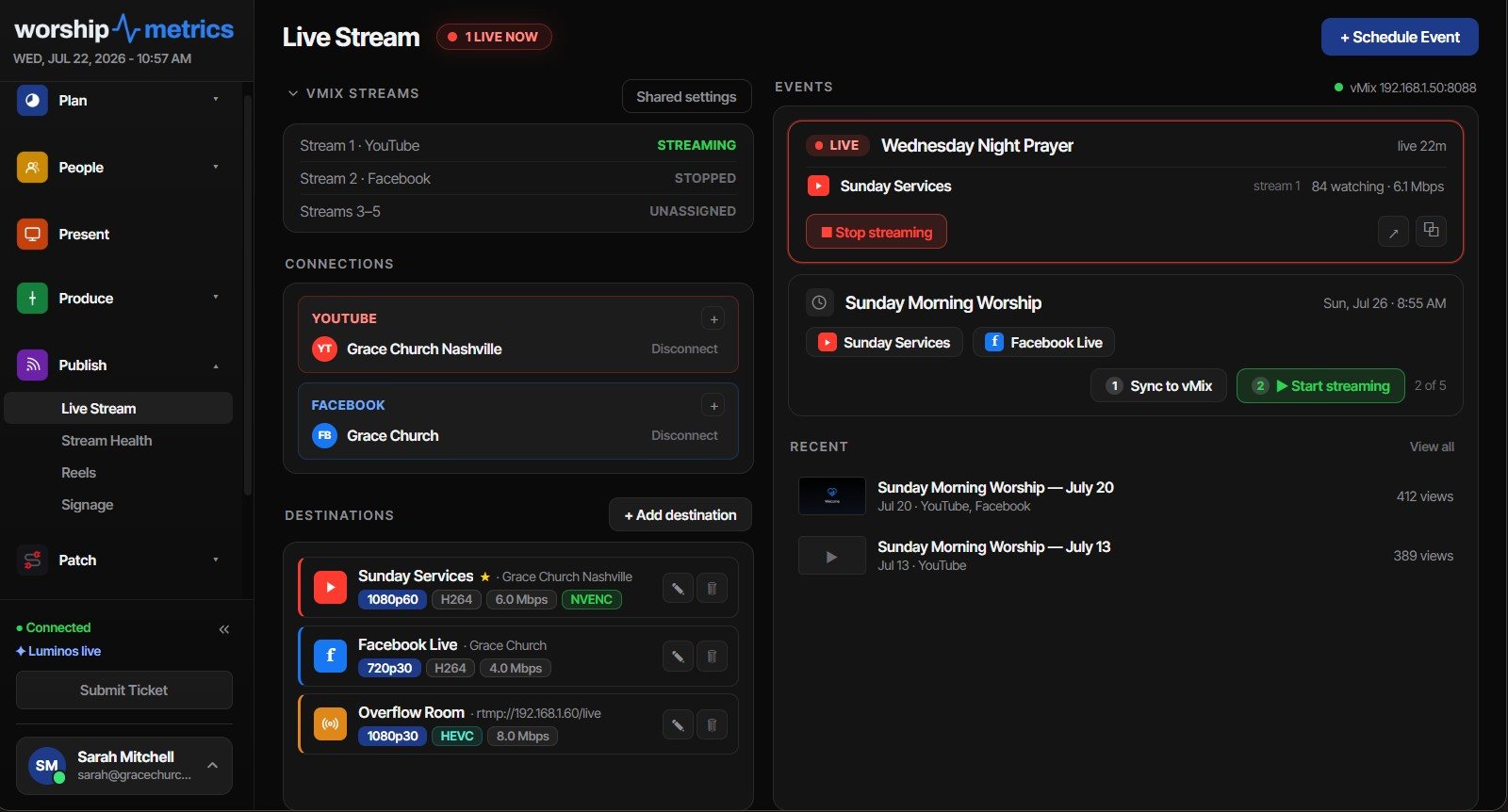
Running several platforms shouldn’t mean running several streams. With WorshipMetrics streaming on the Max plan, you send one feed and it goes out to YouTube, Facebook, your website, and other destinations, watched around the clock. For the general approach, see restreaming for churches.
Next: the bigger picture on using social media well, from the vision to a policy template and a Christmas plan, on the Social Media for Churches page.
Related questions
- Should our church stream on YouTube or Facebook?
- Usually both, for different reasons. YouTube is better for search, replay, and building a long-term library. Facebook is better for local visibility and reaching people who already spend time there. Neither is a good place for private conversation, which is why many churches add a private community as well.
- How should a church organize its YouTube channel?
- Use search-friendly titles instead of dates, and keep at least four playlists: Full Services, Sermons, Worship, and Announcements. Post short clips within 48 hours, and use end screens to point to a next step like prayer or a what-to-expect page, not just 'subscribe.'
- Should we share our YouTube link on Facebook?
- For clips, it's usually better to upload the video directly to Facebook with a post that stands on its own. Facebook tends to show native video to more people than links that leave the platform. Save YouTube links for your website, email, and private community.
The 'What to Expect' Page: Helping Online Viewers Make Their First Visit
NextHiring a Part-Time Church Tech Director: When, What to Look For, and the Alternatives
Related Articles

Bitfocus Companion + ATEM Mini: A Stream Deck Panel for Your Church Switcher
A Stream Deck running Bitfocus Companion turns a Blackmagic ATEM into plain-word buttons with colors that show what's live, and the same panel can run PTZ cameras, projectors, and more. Here's how to connect Companion to an ATEM and build a volunteer page.

Lyrics Over the Camera on an ATEM Mini: Luma Keys, Chroma Keys, and the Slides Computer
To put song lyrics over the camera shot on a Blackmagic ATEM Mini, feed the slides computer into an ATEM input and key it over the camera. Here's how luma and chroma keys work for lyrics, how to design slides that key cleanly, and who should run it.

ATEM Mini + OBS for Church: Hardware Camera Switching with OBS for Graphics and Streaming
Many churches use an ATEM Mini as a camera switcher and send its output into OBS over USB as a webcam. The ATEM gives volunteers real buttons; OBS adds lyrics, graphics, recording, and streaming. Here's how to set it up, split the jobs, and avoid the common sync and quality problems.