Introduction
A sermon archive becomes valuable when people can actually find what they need. A folder full of videos is not the same thing as a usable library.
Many congregations record faithfully for years and still end up with an archive that is difficult to navigate, poorly labeled, and practically invisible to the people it was meant to serve. Searchability is what turns stored sermons into a ministry resource.

Start with Consistent Metadata
Titles, speaker names, series names, dates, and scripture references should follow one consistent pattern. Searchability starts with disciplined naming.
Decide early what fields matter most. For many congregations, the most useful metadata includes:
- sermon title
- speaker
- scripture reference
- series name
- service date
- topic tags
If metadata changes format every few months, search results get weaker and the library becomes harder to maintain.
Separate Long-Term Storage from Public Access
What your team keeps for preservation and what your congregation browses publicly may not be the same thing. The archive should support both internal stewardship and external accessibility.
Long-term storage is about durability and organization. Public access is about ease of discovery. Those are related, but they are not identical.
For example, your master recordings may include:
- full-resolution files
- extra service segments
- internal-only notes or references
Your public archive should feel simpler, cleaner, and easier to search.
Connect Clips to Full Messages
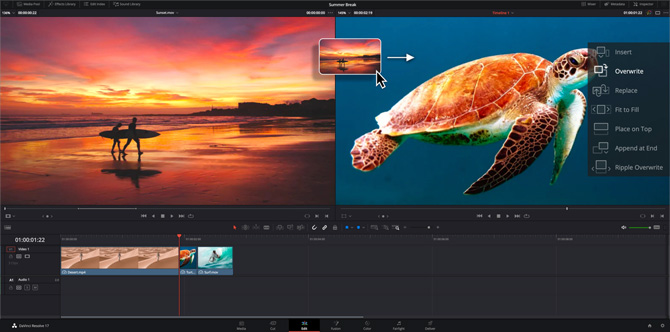
Short clips perform well on social platforms, but they should still point back to complete sermons. That keeps short-form reach connected to deeper discipleship.
This works best when:
- clips link clearly to full messages
- full messages are categorized and searchable
- series pages or archive views provide context
- search results do not strand users inside isolated media posts
Clips can expand reach, but the archive is where many people go deeper.
Think About Search from the Beginning
People often search by topic, scripture, speaker, or season of life. Structure the archive so those pathways are possible, not just chronological browsing.
Useful search pathways include:
- scripture reference
- pastoral topic
- sermon series
- speaker
- event or special service
Chronology matters, but it is rarely the only way someone wants to find content.
Maintain the Library Weekly
Archives decay when uploads and tagging are delayed. The easiest archive to maintain is one that becomes part of the normal post-service workflow.
That weekly rhythm might include:
- upload the full message
- attach the core metadata
- connect any related clips
- confirm the public title and description
- test that the content is searchable in the expected way
Small consistency beats heroic catch-up projects every time.
Plan for Future Use Cases
Your archive may eventually serve more than your current congregation. It may support:
- discipleship resources
- leader training
- pastoral care conversations
- teaching series recap pages
- social and search discovery
That is why structure matters now, even if the archive still feels small.
Conclusion
A searchable sermon library extends the life of your teaching, but only if the archive is built as a real information system instead of a storage dump.
The strongest archives are easy to maintain, easy to search, and clearly connected to the broader communication strategy of the congregation.
Getting started: see how do we put past services and sermons on our church website?
Live Captions & Accessibility for Church Streams
NextNetwork Infrastructure for Church AV & Streaming
Related Articles
A Content Engine That Stays Personal: More Clips, Better Titles, Better Thumbnails
Keeping up online means more content than most church teams can make by hand. Clipping every service, with AI help on titles, descriptions, and thumbnails, turns one sermon into a week of posts. Here's how to build a church content engine that stays personal, controllable, and true to your voice.
Which Sermons Resonate? What Clip Metrics Tell Pastors
When you clip every service, each clip becomes a small signal: what people watched, finished, shared, and came back to. Here's how pastors can read sermon clip metrics to learn what's connecting with their congregation and community, without letting the numbers write the sermon.
Which Worship Songs Does Your Congregation Love? Song Insights From Clips
Worship leaders usually choose songs by feel, familiarity, and theme. Clip metrics add another view: which songs people play again and again, at church and online. Here's how to read worship song insights to plan stronger sets, and the licensing to check along the way.