Introduction
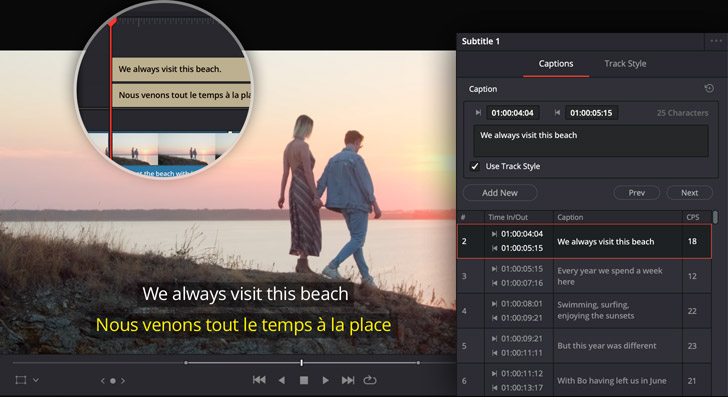
Accessibility should not be treated as a bonus feature for livestreams. Live captions and better content design help more people participate, understand, and stay connected to your congregation.
For some viewers, captions are a convenience. For others, they are the difference between participation and exclusion. That alone makes accessibility a ministry issue, not just a media feature.
Start with Readability
Clear spoken audio, deliberate pacing, and legible on-screen text make captions more effective. Caption quality is shaped by the stream itself, not just by the tool generating text.
That means accessibility begins with production discipline:
- cleaner speech capture
- less background wash over spoken word
- readable lower thirds and graphics
- intentional pacing during transitions
If the source is muddy, captions become much harder to trust.
Choose a Caption Workflow
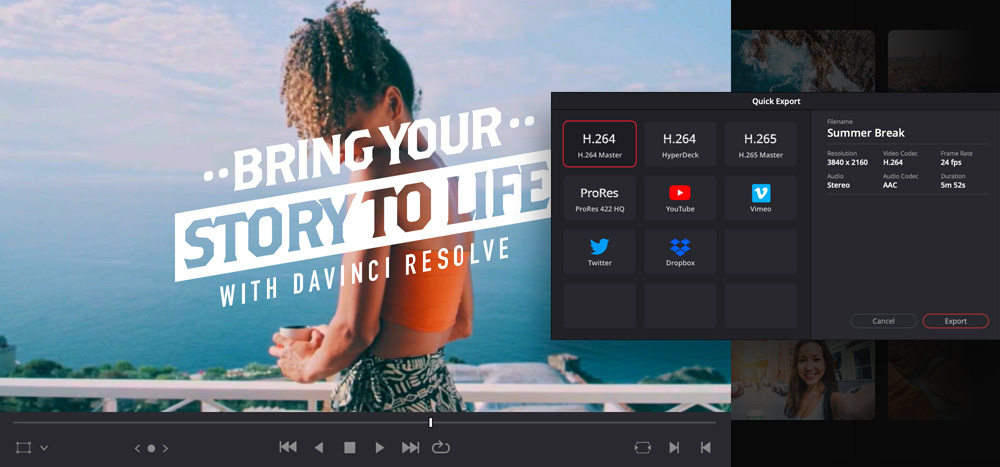
Some teams use platform-native captions, some use external tools, and some create post-service captioned clips. Each approach has tradeoffs in accuracy, cost, and volunteer effort.
The right workflow depends on your goals:
- live accessibility during service
- captioned short clips after service
- searchable archives with transcript support
- social content that remains understandable with sound off
Most congregations benefit from thinking of captions as a layered system, not a single checkbox.
Consider More Than Hearing Accessibility
Accessibility also includes color contrast, readable graphics, clear language, and visual pacing. A stream that is technically visible may still be difficult to follow.
Ask broader questions too:
- are lyrics or key text readable on smaller devices?
- are lower thirds on screen long enough to be understood?
- does the visual pace help or overwhelm viewers?
- is the online experience dependent on audio-only understanding?
Accessibility is about clarity, not just captions.
Build Accessibility Into the Weekly Workflow
If captioning only happens when one passionate volunteer remembers, it will not remain consistent. Add it to the standard media workflow so it survives staff and volunteer changes.
That may mean assigning responsibility for:
- checking live caption settings before service
- reviewing caption quality in key moments
- publishing captioned short clips after service
- keeping archive titles and descriptions accessible and clear
Consistency matters more than a perfect but fragile setup.
Review the Experience with Real Users
The best accessibility feedback comes from the people who actually need it. Ask for input from viewers instead of assuming the system is already good enough.
People will often reveal problems your team never noticed, especially around:
- timing delays
- readability on mobile
- cluttered visual composition
- low-contrast text
- confusing transitions between spoken and visual content
That feedback is one of the fastest ways to improve the stream meaningfully.
Think About Accessibility Beyond Sunday
Captioning also improves the usefulness of archived sermons, social clips, and follow-up content during the week.
It helps with:
- social engagement with sound off
- searchable archives
- clearer replay experience
- more inclusive communication overall
That is why accessibility should be treated as part of the congregation’s media strategy, not a special-case exception.
Conclusion
Live captions and accessible media are part of pastoral care. They help more people participate in worship and feel considered in the way your congregation communicates.
The best accessibility practices are not flashy. They are clear, repeatable, and intentional enough that more people can actually stay connected to what matters.
AV Inventory Management & Maintenance Schedules
NextBuilding a Searchable Sermon Archive & Video Library
Related Articles
A Content Engine That Stays Personal: More Clips, Better Titles, Better Thumbnails
Keeping up online means more content than most church teams can make by hand. Clipping every service, with AI help on titles, descriptions, and thumbnails, turns one sermon into a week of posts. Here's how to build a church content engine that stays personal, controllable, and true to your voice.
Which Sermons Resonate? What Clip Metrics Tell Pastors
When you clip every service, each clip becomes a small signal: what people watched, finished, shared, and came back to. Here's how pastors can read sermon clip metrics to learn what's connecting with their congregation and community, without letting the numbers write the sermon.
Which Worship Songs Does Your Congregation Love? Song Insights From Clips
Worship leaders usually choose songs by feel, familiarity, and theme. Clip metrics add another view: which songs people play again and again, at church and online. Here's how to read worship song insights to plan stronger sets, and the licensing to check along the way.