
Resi is one of the best-known names in church live streaming, especially among larger churches. It earned that reputation with one idea: a church stream shouldn’t fail just because the building’s internet hiccups.
This review covers what Resi actually costs in 2026, how its reliability works, the contract you sign, what churches say they like and don’t, and the alternatives worth comparing. It’s written by a company that competes with Resi, so we’ve stuck to Resi’s own published pricing and terms, read on October 17, 2026, and we’ve tried to be fair about where Resi is strong.
The short version
- Resi’s strength is reliability. Its Resilient Streaming Protocol (RSP) stores video on the encoder and resends anything lost, so a network drop doesn’t have to become a gap in the stream.
- The catch is that RSP lives on Resi’s hardware (or its ProPresenter plugin), and costs stack up: a streaming plan, an encoder, a separate plan to keep recordings, and add-ons.
- Streams run about 90 seconds to 2 minutes behind live, by design.
- Contracts are annual, with 60 days’ notice to cancel.
- Best for: large and multi-site churches that want enterprise delivery and are happy to buy into Resi’s hardware.
- Look elsewhere if: you want to use the encoder or software you already own, need month-to-month flexibility, or are a small church watching every dollar.
What Resi is
Resi started life as Living As One and renamed itself Resi, short for “resilient”, in August 2020. Pushpay, the church giving and app company, bought Resi in August 2021 for about $150 million. The site still describes it as “A Pushpay Company”, and Resi streams can appear in Pushpay church apps.
Resi sells three product lines: Live Streaming (to social platforms, your website and apps), Multisite (delivering a service to screens at other campuses), and Resi On Demand (a video library). It also sells hardware encoders and decoders.
Resi pricing in 2026
These are the annual-billing prices on resi.io/pricing as of October 17, 2026. Resi’s page also has monthly-billing and non-profit pricing toggles; monthly billing costs more.
Live Streaming plans
| Plan | Price | What it adds |
|---|---|---|
| Social Only | $99/mo ($1,188/yr) | Facebook and YouTube, unlimited broadcasts, 1080p60, 7-day temporary storage, one ProPresenter encoder license, 7-day phone and email support, monitoring |
| Starter Lite | $159/mo ($1,908/yr) | Streaming to your website with a white-labeled player, 200 GB a month of website bandwidth, simulated-live replays, QRclick |
| Pro | $299/mo ($3,588/yr) | Delivery to apps, Go Live API, 1 TB a month of bandwidth, 30-day temporary storage |
| Enterprise / Enterprise 4K | Custom | 4K to your website, apps and YouTube |
Keeping your recordings: Resi On Demand
Live plans keep recordings for 7 days (30 on Pro). To keep a library of past services, add Resi On Demand: $49/mo for 1 TB, $99/mo for 7 TB, or $199/mo for 15 TB, billed yearly.
Multisite
Delivering a service to other campuses is a separate product: Overflow ($129/mo), LAN + Cloud Failover ($379/mo), Pro ($499/mo) and Enterprise ($669/mo), billed yearly. In practice these are sold through Resi’s sales team, and streaming to the web still needs a Live plan.
Add-ons
- Studio AI (AI production tools): $49/mo billed yearly or $59/mo monthly, on Starter Lite and up.
- RTMP Destinations (more destinations at once), Automated Subtitles and extra encoder licenses: available, with no price published.
Hardware
| Device | Starting price |
|---|---|
| Mini Encoder (HDMI) | $799.99 |
| Mini Encoder (SDI) | $1,199.99 |
| E1200 encoder (4K30 or 1080p60) | $3,749.99 |
| E2211 encoder (two channels, redundant power) | $5,249.99 |
| E4310 encoder (12G-SDI, AV1 for multisite) | $8,499.99 |
| Decoders (for multisite screens) | $5,249.99 to $8,499.99 |
Resi’s terms say hardware sales are final, and the one-year hardware warranty applies while you have a service subscription.
What a typical church pays
A mid-size church streaming to its website and keeping a library would need Starter Lite ($1,908/yr), On Demand Starter ($588/yr) and a Mini Encoder ($799.99 once): about $3,300 in the first year and $2,500 a year after, before any add-ons.
How Resi’s reliability works
The Resilient Streaming Protocol is Resi’s core technology, and it’s genuinely different from the RTMP that most encoders use:
- Store and forward. If the connection drops, the encoder keeps recording locally (Resi says up to 30 minutes) and sends the video when the connection returns, instead of simply losing it.
- Retransmission. Only lost or corrupted data is resent, until the cloud confirms it arrived.
- Buffered playback. Resi’s decoders, used for multisite, hold a 60-minute local buffer.
The trade-off is delay. Because the system waits for missing data instead of skipping it, Resi streams run about 90 seconds to 2 minutes behind live on social platforms. Resi calls this “by design.” For a recorded-feeling Sunday stream, most viewers never notice. For live chat, prayer requests or interaction with people at home, it’s noticeable.
The other trade-off is lock-in. Resi says RSP is only available through Resi’s hardware encoders or ProPresenter Stream, its software encoder plugin for ProPresenter 7.3 and newer. If your church already streams from OBS, vMix, an ATEM or another encoder, you don’t get RSP.
Resi advertises 99.99% uptime. Its public status page shows occasional incidents, like most cloud services: for example, a June 2025 Google Cloud problem that affected streaming and logins for about three and a half hours.
Contract and support
- Term: 12 months unless your order form says otherwise, renewing automatically for the same length.
- Cancelling: written notice at least 60 days before the term ends; no early cancellation except for an uncured breach.
- Refunds: fees are non-refundable.
- Free trial: none published for the streaming plans.
- Support: phone and email seven days a week on every plan, within set hours (Central time): weekdays 9 to 7 (Wednesdays until 9), Saturdays 9 to 9, and Sundays 7 to 5.
What churches like, and what they don’t
What churches praise:
- Stability, especially for churches with unreliable internet.
- Seven-day support, including on Sundays.
- A white-labeled, ad-free player on your own website.
- A path to multisite and apps as a church grows.
Common complaints:
- Cost, especially once plans, hardware, On Demand and add-ons are added together.
- Hardware dependence. RSP needs Resi’s encoder or the ProPresenter plugin.
- The delay, for churches that interact with online viewers live.
- Short recording retention unless you buy On Demand.
- Annual contracts with a 60-day notice window.
Who Resi is best for
- Large churches with a production budget that want enterprise-grade delivery.
- Multi-site churches delivering a service to screens at other campuses.
- Churches on genuinely unreliable internet, where store-and-forward earns its keep.
- ProPresenter churches that want a simple software encoder.
Who should look elsewhere
- Small and mid-size churches watching their budget.
- Churches that want to keep their current encoder or OBS/vMix setup.
- Churches that want month-to-month flexibility.
- Churches that want live, interactive chat with online viewers.
Resi alternatives
| Alternative | Starting price | Works with your encoder | Notes |
|---|---|---|---|
| BoxCast | $109/mo billed yearly | Yes (RTMP, SRT), plus its own Spark encoder | The closest like-for-like option: its own resilience protocol (BoxCast Flow), 10,000 viewer-hours a month, about 30-second latency, annual commitment |
| YouTube and Facebook directly | Free | Yes | Free and familiar, but copyright bots can interrupt licensed worship, and Facebook deletes live videos after 30 days |
| Restream or Castr | About $19 to $50/mo | Yes | Inexpensive multistreaming; not built for churches |
| Church Online Platform | Free | Pairs with any video source | Life.Church’s free watch-party experience with chat and prayer; you still need a video host |
| WorshipMetrics Max | $99/mo ($79 founding price) | Yes (RTMPS or SRT from any encoder, or Tech Manager) | Your own stream page, website player and domain, up to 10 destinations, live chat, every service recorded, plus free planning, presentation and camera control |
We compare all of these in more depth in Church Streaming Services Compared.
Where WorshipMetrics fits
WorshipMetrics takes the opposite approach to Resi on hardware: use what you already own. Point OBS, vMix, an ATEM or any encoder at WorshipMetrics over RTMPS or SRT (SRT recovers lost packets on a shaky connection), or let Tech Manager send the stream from a church computer.
Max is $99 a month ($79 at founding prices, locked for 12 months if you sign up by December 31) and includes hosted live streaming on your own branded page, website player and domain, up to 10 destinations at once, live chat with prayer requests, cloud recordings of every service, a video library, and 1,000 viewer-hours a month on your page and player (YouTube and Facebook viewers don’t count). Stream health is watched live, with alerts by email and desktop on every plan and by text on Pro and Max.
Where Resi is stronger: store-and-forward delivery on its own hardware, seven-day phone support with a person on every plan, and multisite delivery to campus screens. On WorshipMetrics, a person on the phone comes with the Care and Sunday Assurance add-ons.
For a side-by-side table, see WorshipMetrics vs Resi.
The bottom line
Resi is a strong, mature platform, and its reliability reputation is earned. If you’re a large or multi-site church that values delivery above all and is comfortable with its hardware and annual contracts, it belongs on your shortlist.
If you’re a small or mid-size church, or you want to keep the encoder you already own, compare the total first-year cost (plan, encoder, library and add-ons) against the alternatives above before you sign.
This review is part of our church live streaming series. Start with the hub, How to Live Stream a Church Service.
Related questions
- How much does Resi cost?
- Resi's Live Streaming plans start at $99 a month for Facebook and YouTube only, $159 a month to add streaming to your website (Starter Lite), and $299 a month for Pro, billed yearly at the prices on Resi's pricing page in October 2026. A saved video library is a separate On Demand plan from $49 a month, and Resi's hardware encoders start at $799.99.
- Do you need Resi hardware to use Resi?
- To get Resi's Resilient Streaming Protocol, yes: Resi says it's only available through its own hardware encoders or ProPresenter Stream, a software encoder plugin for ProPresenter 7.3 or newer. Every plan includes one ProPresenter encoder license.
- Why is there a delay on Resi streams?
- Resi's protocol buffers video so it can resend anything lost on the way. Resi describes the delay as by design, about 90 seconds to 2 minutes when streaming to social platforms.
- Can you cancel Resi anytime?
- Resi's terms set a 12-month term unless your order form says otherwise, renewing automatically, with written notice required at least 60 days before the term ends. Fees are non-refundable.
- What are the best Resi alternatives for churches?
- BoxCast is the closest like-for-like alternative. Churches on a tight budget stream free to YouTube and Facebook, sometimes with Restream or Castr for multistreaming. WorshipMetrics Max is $99 a month ($79 founding price) for hosted streaming on your own page and domain with the encoder you already own.
Is ProPresenter Free? Pricing, Trial Limits & Free Alternatives (2026)
NextSongShow Plus in 2026: Where It Stands Today & Alternatives
Related Articles
Choosing a PTZ Camera for Church Live Streaming
How to choose PTZ cameras for a church: how much zoom your room needs (with the math), NDI vs SDI vs HDMI vs USB, how many cameras to buy, sensors and low light, control and auto-tracking, and current models and prices at every budget.
Church Streaming Services Compared: Resi, BoxCast, YouTube, Facebook and More (2026)
Church live streaming services side by side: what Resi, BoxCast, Subsplash, Vimeo, Restream, Castr, SermonAudio, YouTube and Facebook cost in 2026, how each handles reliability and simulcasting, what happens to your recordings, and which fits your church.
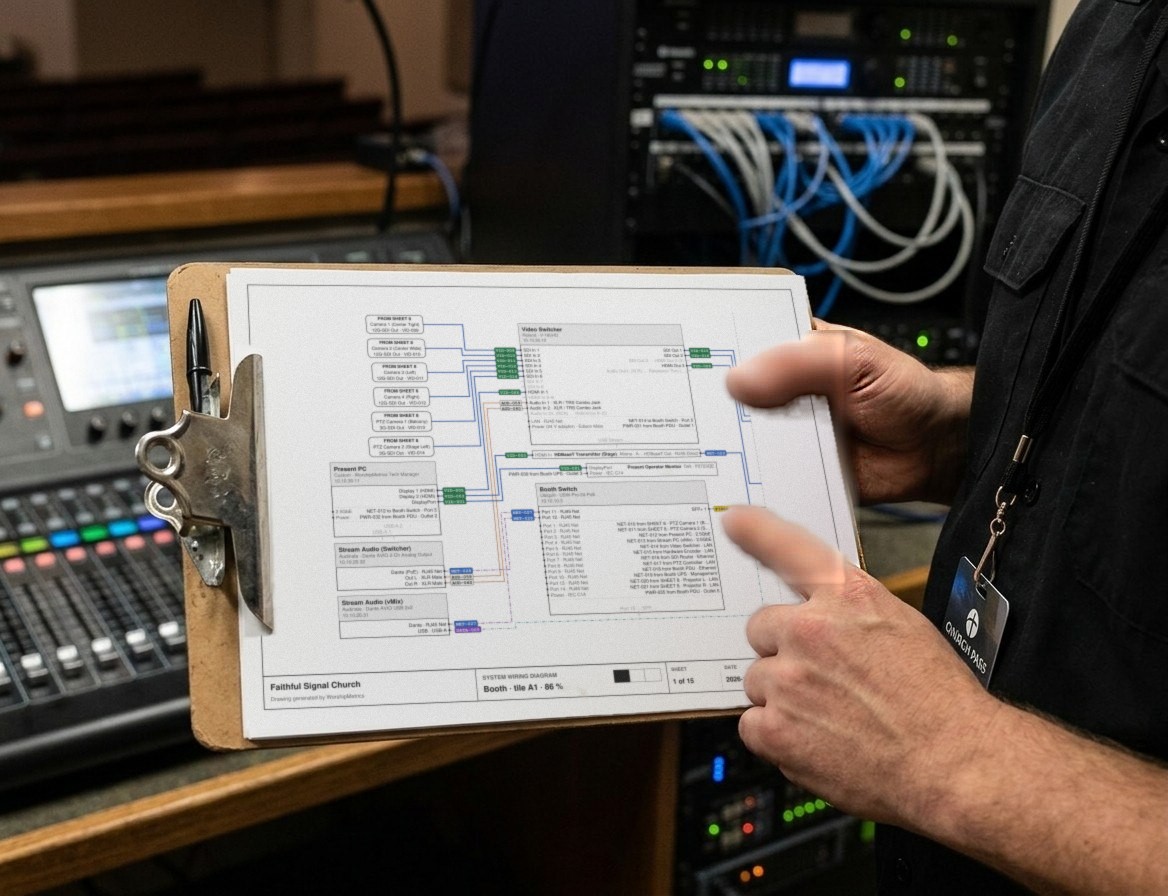
Church Video System Design: Planning From Sanctuary to Stream
How to plan a church video system before you buy anything: what it's for, where the cameras go, how video, audio and slides flow to the stream, which cables run where, and how to document it so the next volunteer can run it.