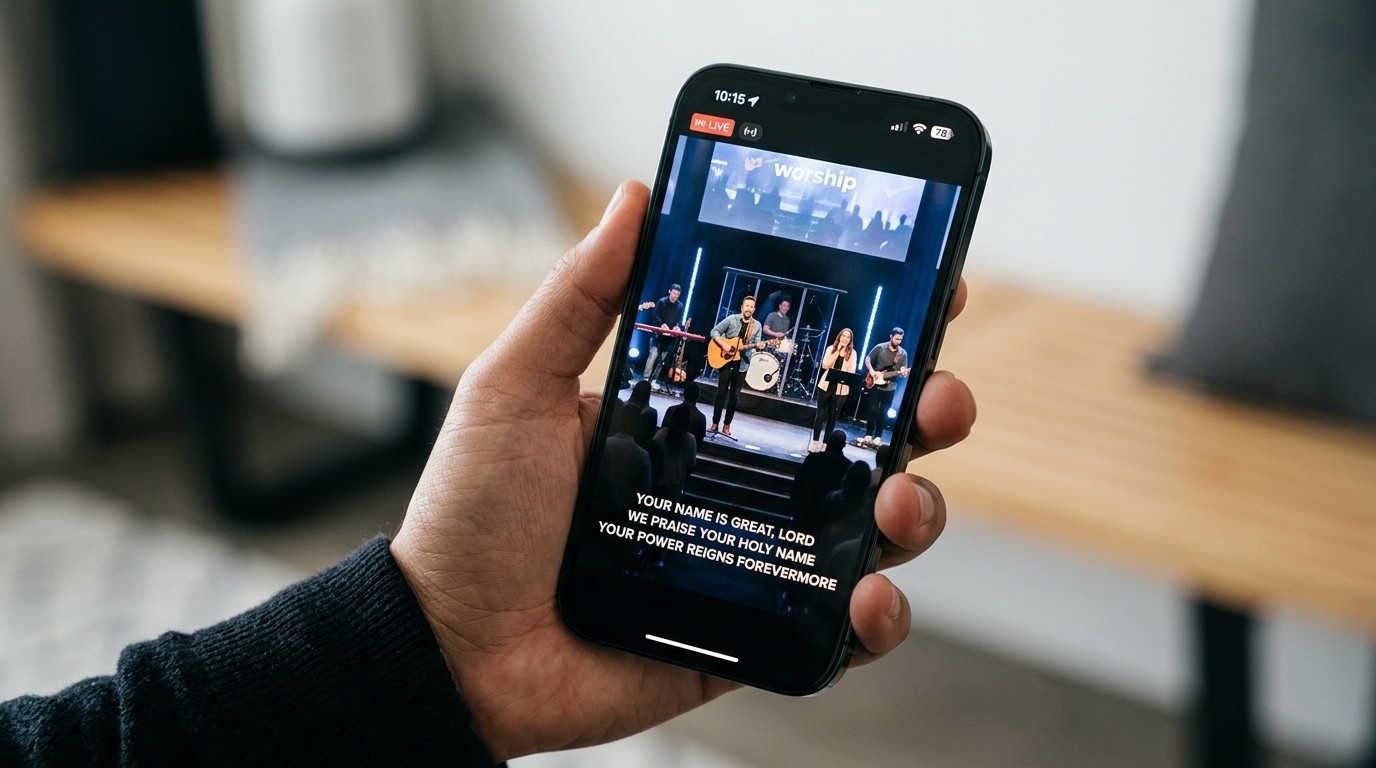
The view your team never sees
The people who run your stream have never watched it as a stranger. They know which platform it’s on, what time it starts, and where the prayer form lives, because they put it there. A first-time viewer knows none of that, and they decide in a few minutes whether this church sees them at all.
The pathway audit fixes that blind spot. It takes thirty minutes, costs nothing, and usually tells you more than a gear upgrade would.
Run it like a visitor
Pick someone who doesn’t run the stream. Give them a phone, a timer, and this list. Have them do it during a live service if possible, and on the replay if not.
1. Find the stream (5 minutes).
- Search your church’s name plus “live stream.” Does the right result come up first?
- From your website’s homepage, how many taps does it take to reach the live video?
- Is it obvious whether the stream is live now, and if not, when the next one starts?
2. The first five minutes (5 minutes).
- Is there anything to watch before the service starts, or a black screen? (See building a welcome loop.)
- Does anyone on screen or in chat acknowledge that people are watching from home?
- Post “Hi, first time watching” in the chat. Start the timer. How long until a real person replies?
3. Ask for prayer (10 minutes).
- Without asking anyone, try to find how to request prayer. Time it.
- Submit a test request using an obviously test name. Did anything confirm it was received?
- Ask your pastoral team later: did the test request reach a person, and when?
4. The last frame (5 minutes).
- When the service ends, what’s on screen? One clear next step, or five competing ones?
- Is there an invitation to something beyond the stream, like a group, a conversation, or a visit?
5. Write it down (5 minutes). Record three times: time to first chat reply, time to find the prayer link, and time until the test prayer request reached a person. Those three numbers describe your online hospitality better than your view count does.
What the audit usually finds
Most churches find the same three gaps:
- An empty chat. Viewers say hello and nobody answers. That’s the coldest moment a stream can have, and it’s the easiest to fix: assign a chat host.
- A prayer link nobody can find, or one that sends requests to an inbox nobody checks on Sunday. Build a prayer workflow with a named responder.
- A crowded ending. Giving, events, the podcast, social links, and next week’s series all share the last slide, so viewers don’t follow any of them. Pick the one step your purpose statement names.
Production problems show up too: audio that’s too quiet, a camera framed on an empty stage. Write them down, but fix the pathway first. A viewer will forgive a soft picture if someone talks to them. A perfect picture won’t help if nobody does.
Signals worth tracking from day one
Once the pathway works, track whether it’s carrying anyone:
- Returning viewers, not just views. Someone who comes back three weeks in a row is telling you something a first-time view never can.
- Prayer requests received per service, and how many got a personal reply. This is the most important pastoral number you have.
- Average watch time, not just the peak. The peak shows how well you promoted the stream. The average shows whether the service held people.
Service Metrics puts online and in-person attendance on one dashboard. With the Max plan, it counts your YouTube and Facebook viewers automatically, so these patterns are visible without a spreadsheet.
Repeat it every quarter
Platforms change their layouts, links break, and volunteers rotate. Put the audit on the calendar once a quarter, and always a few weeks before your biggest Sundays. For many churches, Christmas Eve brings more first-time online visitors than any other night of the year. Our Christmas Eve readiness guide covers the booth side; the pathway audit covers the people side.
Print it: the free Online Ministry Checklist puts this and the rest of the weekly online routine on one page for your team.
Related questions
- What is a live stream pathway audit?
- A 30-minute exercise where someone on your team watches your church's stream exactly as a first-time online visitor would, from search to the last frame, and records how hard it is to be welcomed, ask for prayer, and find a clear next step.
- Who should run the audit?
- Someone who doesn't run the stream. Tech directors know where everything is, so they can't see the gaps. A newer member, a staff member from another ministry, or a friend from outside the church will notice what a visitor notices.
- What should we fix first after the audit?
- Whatever stops a viewer from reaching a person. A missing prayer link, an empty chat, or an end screen with no next step costs more than any production flaw. Fix the pathway first and the picture quality second.
The Church Live Chat Host: A Ministry Role, Not a Link-Poster
NextWhat Is Our Church Live Stream Actually For?
Related Articles

Bitfocus Companion + ATEM Mini: A Stream Deck Panel for Your Church Switcher
A Stream Deck running Bitfocus Companion turns a Blackmagic ATEM into plain-word buttons with colors that show what's live, and the same panel can run PTZ cameras, projectors, and more. Here's how to connect Companion to an ATEM and build a volunteer page.

Lyrics Over the Camera on an ATEM Mini: Luma Keys, Chroma Keys, and the Slides Computer
To put song lyrics over the camera shot on a Blackmagic ATEM Mini, feed the slides computer into an ATEM input and key it over the camera. Here's how luma and chroma keys work for lyrics, how to design slides that key cleanly, and who should run it.

ATEM Mini + OBS for Church: Hardware Camera Switching with OBS for Graphics and Streaming
Many churches use an ATEM Mini as a camera switcher and send its output into OBS over USB as a webcam. The ATEM gives volunteers real buttons; OBS adds lyrics, graphics, recording, and streaming. Here's how to set it up, split the jobs, and avoid the common sync and quality problems.