Two records, one person: why the distinction matters
Every church management system has to answer a deceptively simple question: when someone signs in, which person in the directory are they?
Those are two different records. Your directory holds everyone your church cares about — members, regular attenders, first-time guests, kids, the homebound saint who has never touched a computer. A login is something much rarer: an authenticated account for someone who actually signs in to do work or check their own schedule. In a typical church, the directory might hold 400 people while only 25 of them ever log in.
The link between the two is what makes self-service possible. When a volunteer opens My Schedule and sees their upcoming assignments — not their spouse’s, not their teenager’s — that only works because their login is tied to exactly one directory person. Get the link right and everything downstream (serving assignments, Team Chat identity, blockout dates) just works. Get it wrong and a drummer is politely declining the nursery schedule.
WorshipMetrics resolves this link in exactly two ways, in order of preference:
- Invite metadata — deterministic, no guessing.
- Unambiguous email match — a strict fallback that links only when there is exactly one possible answer.
There is no third path. No fuzzy name matching, no “probably this person” heuristics. If neither rule produces a certain answer, the login stays unlinked until an administrator connects it by hand — which, as we’ll see with shared household emails, is a feature and not a shortcoming.
The deterministic path: invite-based linking
Every login begins with an administrator’s decision.
Here is the lifecycle:
- An admin sends the invite. From the team management screen, you invite a teammate by email address and choose their role — member or viewer (more on that choice below). Critically, the invite is created for a specific directory person. That association travels with the invite itself.
- A branded email goes out. The invitation email carries a cryptographically random token — 32 bytes of randomness, which is to say unguessable — valid for 7 days. Because the token encodes which invite it belongs to, whoever redeems it is linked to the directory person the admin chose. No inference, no matching logic. This is what “deterministic” means in practice: the outcome was decided at send time.
- If email delivery fails, you still have a path. Church email situations can be messy — a typo’d address, an aggressive spam filter at someone’s workplace. If the email can’t be delivered, WorshipMetrics hands the admin the working invite link directly, so you can text it or share it in person at rehearsal. The link is the invite; delivery method doesn’t change the security model.
- The invitee accepts with a signed-in account. Acceptance requires an authenticated account (WorshipMetrics uses Clerk, a dedicated authentication service, under the hood). The moment they accept, the link is written: this login ↔ that directory person, with the role the admin assigned.
One important consequence of determinism: invites should never be forwarded. Because the link is baked into the token, whoever accepts the invite becomes that person in your system. If Dave forwards his invite to his wife because “she handles the family email,” she will be signed in as Dave — seeing his serving schedule, appearing as him in Team Chat. Send each person their own invite; on the Free tier, users are unlimited, so there is never a cost reason to share.
The fallback: the unambiguous-email-match rule
Sometimes a login arrives without a person attached to its invite — for example, an admin invited someone to the organization before their directory profile existed. In that case, WorshipMetrics attempts one careful fallback: it looks for a directory person whose email address matches the login’s email.
The rule is strict, and the word doing the work is unambiguous:
- Exactly one directory person carries that email → the login links automatically. This is safe because the match cannot mean anyone else.
- Zero people carry that email → no link. The login works, but it isn’t anyone in the directory yet.
- Two or more people carry that email → no link, full stop. The system will not guess.
That last case is not a rare edge condition in church life — it is Tuesday. Which brings us to households.
Why households sharing one email need an admin link
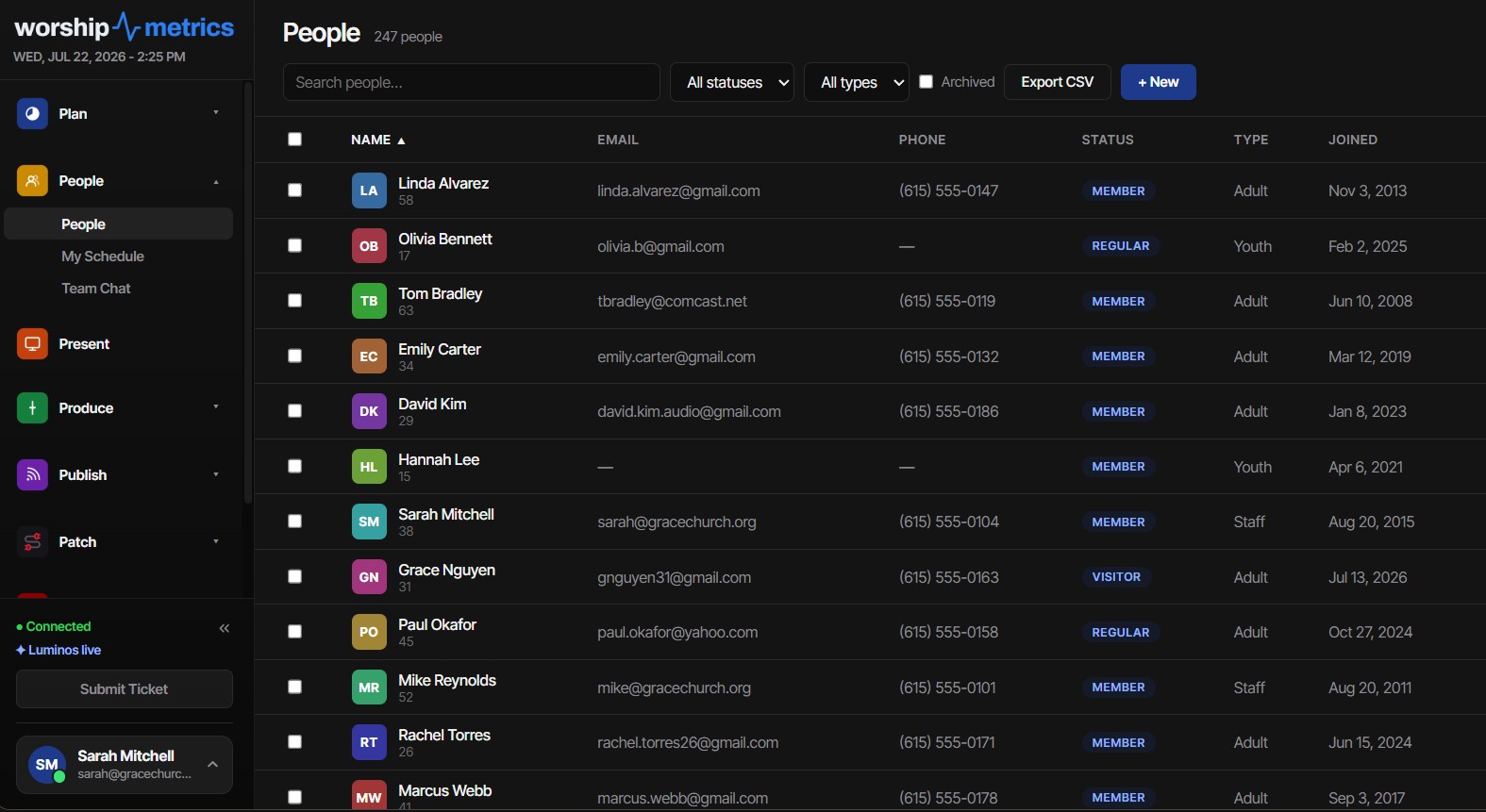
WorshipMetrics groups people into households, and households routinely share contact information — one home address, one landline, and very often one email address. thesmithfamily@example.com might legitimately appear on the profiles of both Tom and Karen Smith, because that genuinely is how the Smiths do email.
Now Karen accepts a plain organization invite and signs in with that shared address. The email-match rule finds two candidates. Should the system pick Tom because his profile was created first? Pick Karen because her name is closer to the login’s display name? Absolutely not. A wrong guess here is worse than no guess: Karen would silently inherit Tom’s serving assignments, his blockout dates, his chat identity — and neither of them would know why the schedule looks haunted.
So the system deliberately does nothing, and an administrator makes the link by hand. You look at the login, you know your people, you connect it to Karen. Thirty seconds of human judgment beats any amount of algorithmic confidence.
Two habits make household emails a non-issue over time:
- Prefer invites over email matching. An invite created for Karen links to Karen regardless of what address it was sent to. Determinism sidesteps the ambiguity entirely.
- Use labeled contact methods. Directory profiles support multiple labeled emails — home, work, mobile. Keep the shared family address as home on both profiles, and add each adult’s personal address as mobile or work. Personal addresses give future invites and email matches a clean, unambiguous target, and they are where scheduling emails ought to land anyway.
Choosing the role: viewer vs. member
Every invite carries a role, and it is worth deciding deliberately rather than defaulting everyone to the same thing:
- Member is the standard role for people who work in the system — tech directors, worship leaders, admins, volunteers who manage their own schedules and participate in Team Chat.
- Viewer is the lighter role for people who need to see rather than manage — a staff pastor who wants visibility into serving health without editing anything, a board member reviewing information.
Because users are unlimited on every plan including Free, you never need to economize on accounts. The right pattern is one login per human, each linked to their own directory person, each with the least role that serves their actual job. Shared “media team” logins feel convenient for about a week, and then you cannot tell who confirmed an assignment or said what in chat.
Fixing a wrong link
Wrong links happen. The classic symptoms:
- A volunteer opens My Schedule and sees someone else’s assignments.
- Chat messages appear under the wrong name.
- Someone accepts a serving invite and it confirms against the wrong profile.
The usual causes, roughly in order of frequency:
- A forwarded invite. The token linked the acceptor to the person the invite was created for.
- An email on the wrong profile. A shared or mistyped address let the email match land on the wrong (but technically unambiguous) person.
- Duplicate profiles. The same human exists twice in the directory, and the login attached to the copy you don’t use.
The correction is straightforward because the link is just a pointer — re-pointing it doesn’t destroy anyone’s directory data:
- Re-link by hand. An administrator uses the same manual admin link that resolves household ambiguity: detach the login from the wrong person and connect it to the right one. The wrongly linked profile keeps its history; the login simply stops speaking for it.
- Fix the underlying email. Move or re-label the address that caused the mismatch so the same accident can’t recur — personal addresses on individual profiles, the shared address labeled home.
- Resolve duplicates. WorshipMetrics’ duplicate review flags people who share an email or phone as high-confidence pairs. Merge the duplicates first, then confirm the login points at the surviving profile. If your directory came in through a spreadsheet, the member CSV import guide explains how dedup on email, phone, and name prevents these twins at the source.
- Re-invite if in doubt. Invite tokens expire after 7 days regardless, so a stale or misdirected invite dies on its own. Sending a fresh invite to the correct person’s personal address is often the fastest clean slate.
A quick rollout checklist that prevents most of this: clean up emails and merge duplicates before inviting anyone; give each adult a personal labeled email; send individual invites with roles chosen ahead of time; and tell people plainly not to forward them. If you’re bringing records over from Planning Center, see connecting Planning Center to WorshipMetrics so profiles arrive with the contact data linking depends on. And when you onboard the humans behind the logins, training volunteer AV teams covers the habits side of the same coin.
How WorshipMetrics handles this
WorshipMetrics treats the login-to-person link as something to get provably right rather than probably right: deterministic invites with unguessable 7-day tokens, an email-match fallback that only fires when exactly one answer exists, and a manual admin link for every case where a human should decide. Roles come in member and viewer flavors, users are unlimited on every plan, and edits sync live across web and desktop the moment a link changes. Explore the full directory, households, and team-invite feature set on the People page.
DMX 3-Pin vs 5-Pin: Wiring Church Lighting Without Frying Anything
NextTest Runs vs the Real Thing: How Live Run Protects Your Service History
Related Articles

Making a Complicated Church AV System Easy to Run, Without Hiring an AV Company
Many church AV systems aren't too old or too small. They're too complicated for a volunteer. A simple button panel built with Bitfocus Companion can hide that complexity behind plain-word buttons, and a church can often build it themselves. Here's when that works, when to call a professional, and how to start.

Your Church Livestream Team, Connected Even When They're Not at Church
A three-person livestream team only works if everyone shares the same plan, the same wiring diagram, and the same news when something breaks. Here's how WorshipMetrics connects the director, slides, and camera volunteers through the week: chat, alerts, documentation, AI help, scheduling, and cloud control for OBS and vMix.

The Three-Person Church Livestream Team: Director, Slides, and Cameras
A church livestream runs best with three clear jobs: a director on OBS or vMix, a slides operator, and a camera operator. Here's what each role does before, during, and after the service, what skills it takes, and how the three talk to each other.