A sermon recording is more than a sermon
When churches think about clipping, they think about the sermon. But a full service recording often captures much more:
- Prayer requests shared aloud, sometimes with names and medical details
- Children in the front rows, on stage, or at a baptism
- People in distress during an altar call or a time of response
- Pastoral moments never meant for the internet: a memorial, a confession, a family in crisis
- Announcements with personal information
All of that goes wherever the full recording goes. So before uploading services to any AI tool, it’s worth asking a few questions.
Five questions to ask any AI clip tool
- Where is the video stored, and for how long? Can you delete it, and does deletion actually remove it?
- Who can see it? Only your team, or the vendor’s staff and contractors too?
- Is it used to train AI models? Some services use uploaded content to improve their models unless you opt out. Read the terms.
- What leaves your building? The full video, just the audio, or only text?
- Can it run on your own computer? For sensitive services, processing locally avoids most of these questions.
None of these answers make a tool good or bad on their own. They help leadership make a deliberate decision instead of an accidental one. (For a wider framework, see should our church use AI?.)
What shouldn’t become a clip
Whatever tool you use, some moments should stay out of clips:
- Personal prayer requests and anything that identifies someone’s private situation
- Children, unless a parent or guardian has given written consent
- People responding emotionally during an altar call or ministry time, unless they’ve agreed
- Pastoral care moments such as memorials or crises
- Anyone who hasn’t agreed to be featured, especially in close-ups
Baptisms and testimonies can be some of the most powerful clips a church makes, but always with written consent, and parental consent for anyone under 18.
Make it a written policy
A short policy saves arguments later. It should say:
- Which parts of the service may be clipped (for example: sermon, scripture, worship, welcome)
- Which parts may never be clipped (prayer requests, ministry time, children without consent)
- Who approves clips before they’re posted
- How someone can ask for a clip to be taken down, and how fast you’ll respond
Have leadership approve it, and give it to everyone who touches clips.
Keeping video on your own computer
For churches with strict media policies or sensitive services, the simplest answer is to process video locally.
The Reels (formerly Worship Clips) local workflow runs inside Tech Manager, the free WorshipMetrics desktop app on your booth computer. Transcription runs on the machine itself using Whisper, and clips render locally too. The service video can stay on your computer; uploading to the cloud is optional, for churches that want to work from anywhere or collaborate as a team.
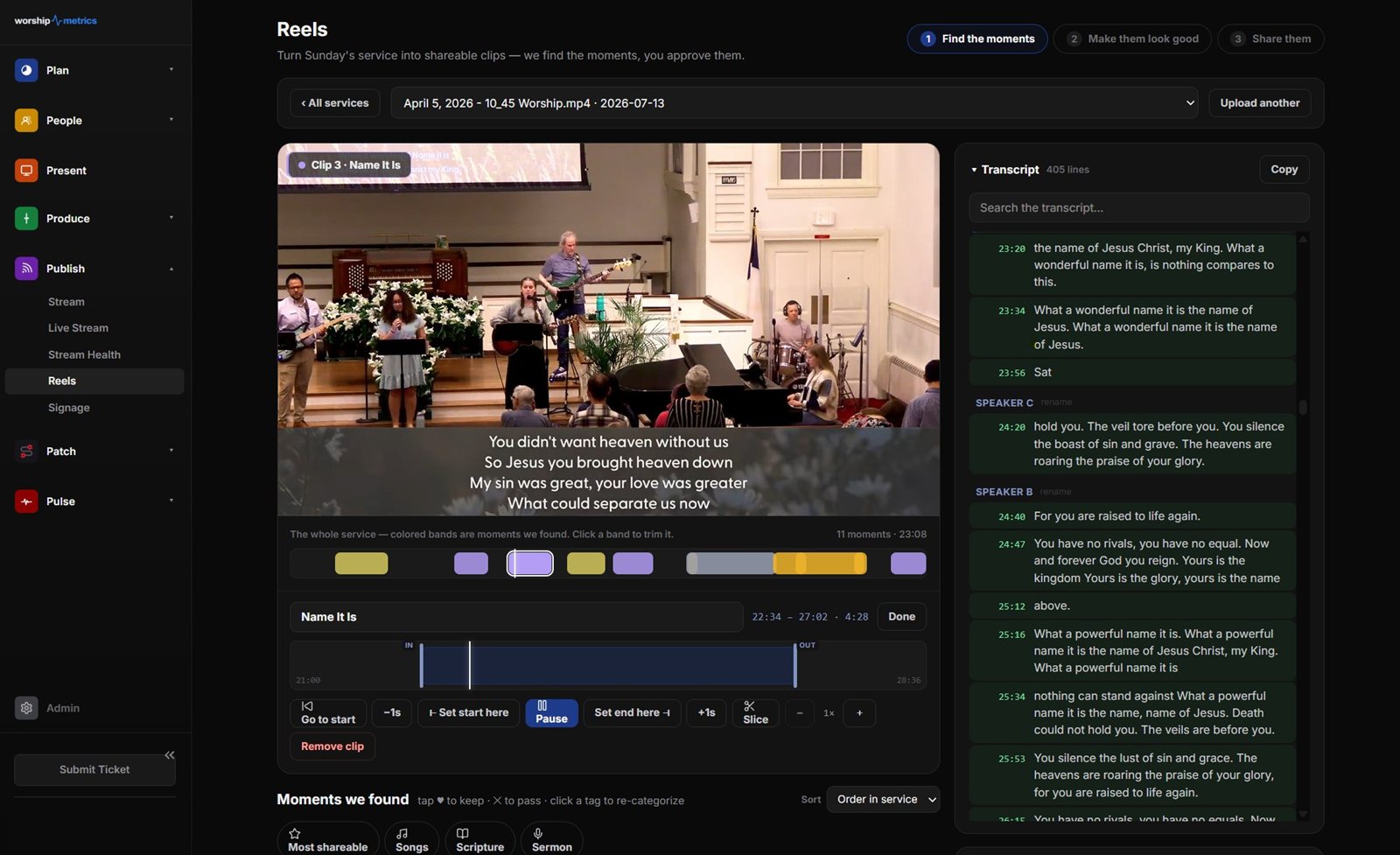
The trade-off is that the booth PC does the work, so a reasonably capable machine helps. For many churches, that’s a fair price for not sending every Sunday to someone else’s servers.
Human approval is the real safeguard
No tool knows that the woman crying in row three just lost her husband. AI can suggest moments, but a person who knows your church should approve every clip before it’s posted. That’s true for local and cloud processing alike, and it’s how Reels is designed: the AI suggests, and your team decides.
Related questions
- Is it safe to upload church services to AI clip tools?
- It depends on the tool and on what's in the recording. Read where the video is stored, how long it's kept, who can access it, and whether it's used to train AI models. If your services include sensitive moments, consider a tool that can process video on your own computer.
- What parts of a church service shouldn't become clips?
- Personal prayer requests, pastoral care moments, people in visible distress, children without parental consent, and anyone who hasn't agreed to be featured. Baptisms and testimonies can be powerful clips, but only with written consent.
- Can AI sermon clipping run without uploading video to the cloud?
- Some tools can. In WorshipMetrics, the Reels local workflow runs inside the free Tech Manager app on the booth computer, so the service video can stay on your own machine. Uploading to the cloud is optional.
Church Social Media Policy: A Simple Template You Can Adapt
NextHow to Pitch Your Pastor on Posting Sermon Clips
Related Articles
A Content Engine That Stays Personal: More Clips, Better Titles, Better Thumbnails
Keeping up online means more content than most church teams can make by hand. Clipping every service, with AI help on titles, descriptions, and thumbnails, turns one sermon into a week of posts. Here's how to build a church content engine that stays personal, controllable, and true to your voice.
Which Sermons Resonate? What Clip Metrics Tell Pastors
When you clip every service, each clip becomes a small signal: what people watched, finished, shared, and came back to. Here's how pastors can read sermon clip metrics to learn what's connecting with their congregation and community, without letting the numbers write the sermon.
Which Worship Songs Does Your Congregation Love? Song Insights From Clips
Worship leaders usually choose songs by feel, familiarity, and theme. Clip metrics add another view: which songs people play again and again, at church and online. Here's how to read worship song insights to plan stronger sets, and the licensing to check along the way.