Sound off is the default
Watch people scroll through short videos on a phone and you’ll notice how many do it with the sound off: in waiting rooms, on the bus, in bed next to someone sleeping. For a sermon clip, that’s a problem. The whole message is in the words.
Captions decide whether a muted viewer hears your pastor at all. They also make your clips accessible to people who are deaf or hard of hearing, which is reason enough on its own.
Burned in vs. a caption file
There are two ways to add captions:
- Burned-in (open) captions are drawn into the video itself. They show up everywhere the clip goes, including reposts, downloads, and platforms that don’t support caption files.
- Caption files (closed captions) sit alongside the video, and viewers turn them on or off.
For Reels, Shorts, and TikTok, burn them in. For a full sermon on YouTube or your website, a caption file is fine. (For live services, see live captions and accessibility.)
Style for a phone screen
Captions that look fine on a laptop can be unreadable on a phone. A few rules:
- Big and bold. Use a heavy, simple font at a size you can read at arm’s length.
- High contrast. White text with a dark outline or shadow, or dark text on a light box. Test it over a bright stage and a dark one.
- Short lines. Two lines at most, a few words each. Long lines force the eye to chase the text.
- Keep it out of the way. Platforms put buttons, usernames, and descriptions along the bottom and right side. Keep captions in the middle-lower area, clear of those.
- Stay in sync. Captions that run ahead of or behind the speaker are distracting. If timing drifts, nudge it.
Consistency matters too. Pick one style for your church and use it on every clip, so viewers start to recognize your clips at a glance.
The words transcription gets wrong in church
Automatic transcription is very good now, but church language trips it up:
- Bible books: Habakkuk, Philemon, Ecclesiastes, Thessalonians
- Theological words: propitiation, sanctification, Ebenezer, Gethsemane
- Names: your pastor, your church, local places, and guest speakers
- Scripture references: “John three sixteen” vs. “John 3:16”
A caption that reads “book of Fair Lemon” instead of “book of Philemon” is the kind of mistake people screenshot. Read every caption once before you post. It takes a minute.
A 60-second check before posting
- Watch the clip once muted. Does it still make sense?
- Check every name, Bible book, and scripture reference.
- Make sure the captions don’t sit under the platform’s buttons.
- Confirm the timing matches the speaker at the start and end.
How Reels handles captions
In Reels (formerly Worship Clips), the service is transcribed automatically and captions are burned into every clip it renders. You can pick a caption style, position, colors, and size, and adjust the timing offset if the audio and text drift. Your church’s colors and logo are applied at render time, so every clip looks consistent without anyone opening an editor.
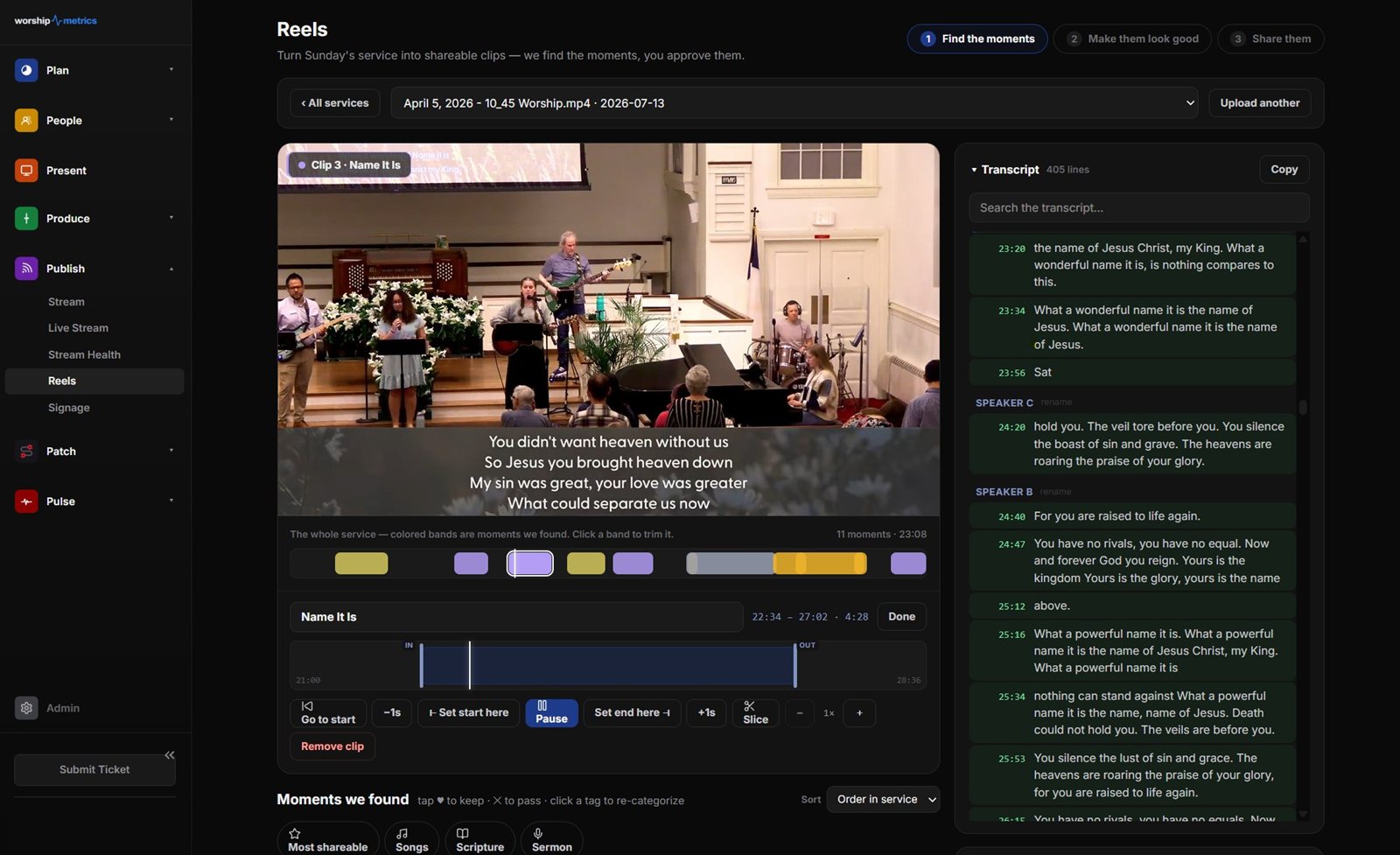
Captions are only as good as the transcript, so the same rule applies: read them before you post. The time you used to spend typing captions now goes into that one careful read.
Next, make the first line count: see writing sermon clip hooks and titles.
Related questions
- Should sermon clips have captions?
- Yes, almost always. Many people scroll social video with the sound off, and captions also make your clips accessible to people who are deaf or hard of hearing. A sermon clip without captions often looks like a silent person talking.
- Should captions be burned in or uploaded as a separate file?
- For Reels, Shorts, and TikTok, burn them in, so they show up everywhere the clip goes, including reposts and downloads. For full sermons on YouTube, a separate caption file is fine and lets viewers turn captions on or off.
- What do automatic captions get wrong in sermons?
- Names and church vocabulary: Bible books like Habakkuk and Philemon, theological words like propitiation, and your pastor's and church's names. Always read the captions once before posting.
From Livestream to Front Door: How Your Church's Online Presence Brings People In
NextSermon Clip Hooks: How to Make the First Three Seconds Count
Related Articles
A Content Engine That Stays Personal: More Clips, Better Titles, Better Thumbnails
Keeping up online means more content than most church teams can make by hand. Clipping every service, with AI help on titles, descriptions, and thumbnails, turns one sermon into a week of posts. Here's how to build a church content engine that stays personal, controllable, and true to your voice.
Which Sermons Resonate? What Clip Metrics Tell Pastors
When you clip every service, each clip becomes a small signal: what people watched, finished, shared, and came back to. Here's how pastors can read sermon clip metrics to learn what's connecting with their congregation and community, without letting the numbers write the sermon.
Which Worship Songs Does Your Congregation Love? Song Insights From Clips
Worship leaders usually choose songs by feel, familiarity, and theme. Clip metrics add another view: which songs people play again and again, at church and online. Here's how to read worship song insights to plan stronger sets, and the licensing to check along the way.