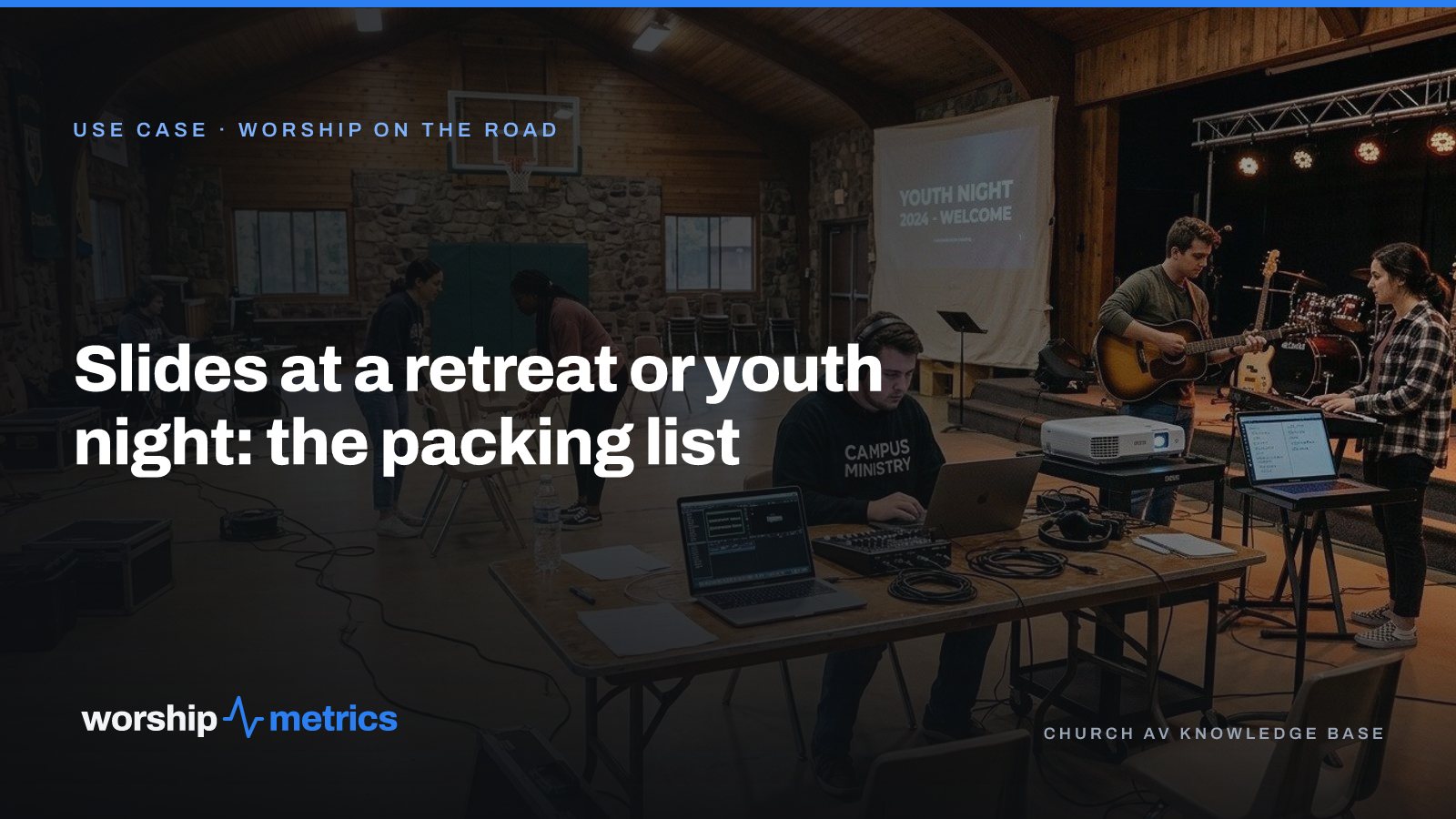
The best worship nights happen in the worst rooms. A gym with a basketball hoop over the stage. A lodge at a retreat center with one outlet and no signal. A youth room with a projector that someone’s dad donated. Running slides in those rooms is a different job than running them in a sanctuary, and the difference is almost entirely in what you packed.
Here’s the list, from a team that leads worship nights with one laptop on a folding table.
The laptop, with the night already on it
The laptop is the booth. It runs the slides, holds the songs, and, with Tech Manager installed, is the thing that still works when the lodge has no internet.
The most important item on the list isn’t on the laptop; it’s done the night before. Prepare the whole night at home, while you have signal: the songs in tonight’s keys, the slides in your look, the welcome slide, the announcements. In Tech Manager a plan you’ve prepared plays even offline, and anything you change in the room is saved on the laptop and sent when you’re back in range. Prepare it Thursday, and Friday’s Wi-Fi stops being a risk.
Pack: the laptop, its charger, and the plan built before you leave.
The projector, and the cable you actually need
Borrowed projectors are a lottery: HDMI, VGA, a mini-HDMI on a tiny one, sometimes only USB-C. Pack the cable for the projector you know you’re getting, and one adapter for the one you’re afraid of. A ten-meter HDMI cable covers most rooms; a longer run than that is where pictures start dropping out, so put the laptop near the projector and run the audio cable the long way instead.
Set the output resolution to what the projector can show. Present outputs 720p, 1080p, and more, with fit, fill, and stretch modes, so a slide built for a widescreen sanctuary still fits a 4:3 projector from 2009.
Pack: the HDMI cable, one adapter, and a power strip, because the room has one outlet and the band needs it.
The band’s screen
The band needs the chord chart in tonight’s key, and a youth night is exactly where the key changes at the last minute. Don’t print charts. Open the stage display in a browser on a second laptop, or a tablet, on a music stand by the band. It follows the slides: current line, next line, the chord chart transposed to the key you’re playing, and a timer if you want one. Change the key on the song and the chart changes with it.
Pack: a second laptop or tablet, and a music stand to put it on.
Sound, briefly
This is a presentation list, not an audio one, but the thing that ruins more worship nights than slides is the laptop’s audio. If you’re playing tracks or videos from the laptop, run its audio to the mixer with a real cable, not Bluetooth, and check the output isn’t muted before anyone’s watching. Everything else about sound is its own list.
Pack: the 3.5 mm to dual quarter-inch cable, and the DI box if you have one.
The look
A youth night should not look like the 11:00 am service. The slides get their look from a theme: your fonts, your colors, the motion backgrounds you picked, saved once and reused every night. Build the theme during the week, drop tonight’s songs into it, and the night has an identity without anyone designing under pressure in the gym.
Pack: nothing. The theme travels with the account.
The things that go wrong, and what fixes them
The projector shows the laptop’s desktop instead of the slides. The output is on the wrong screen. Put the program output on the projector’s display and keep the control view on the laptop.
The key changed and the slides didn’t. The lyrics and the chart came from different places. When both come from one song in the library, they can’t disagree.
There’s no internet. You prepared it Thursday. It plays.
Someone wants a song that isn’t in the plan. It’s in the library, in its own key. Add it to the playlist from the laptop and keep going.
The list, in one place
- Laptop, charger, and the night prepared before you leave
- HDMI cable, one adapter, a power strip
- A second laptop or tablet for the stage display, and a music stand
- Audio cable to the mixer
- The theme, already built, which weighs nothing
Everything on it is free, with unlimited users on the team, and the files you built for last retreat come to the next one.
Next: see a student worship team’s Friday night at a retreat center with one laptop, from the lapsed subscription to a plan that plays offline, on the Worship on the road page.
Related questions
- What do we need to run worship slides at a retreat?
- One laptop with the service prepared on it, a projector or TV and the cable that connects them, a way to show the band chords (a second laptop or tablet works), and the night built before you leave, so it plays whether or not the retreat center has internet.
- Does worship presentation software work without internet?
- In Tech Manager, WorshipMetrics' free desktop app for Mac and PC, a plan you've prepared plays even offline, and edits made offline are saved on the computer and sent when the connection returns. Prepare the night at home, and the lodge's Wi-Fi stops mattering.
- How do we show the band chord charts at a youth night?
- Open the stage display in a browser on a second laptop or tablet by the band. It follows the slides automatically, showing the current and next line and the chord chart in the key you're playing tonight, with no second computer to buy.
Related Articles
Why Your Lyrics Slides Keep Coming Out Wrong (and the Fix That Ends It)
The bridge in the wrong place, a verse split mid-sentence, the chart in E and the slides in G, lyrics pasted from the planning app that never format right. Every one of these is the same problem, and it has one fix.
The Saturday-Night Slide Change: Last-Minute Sermon Edits Without a Drive to the Building
The pastor emails three new slides at 9:40 on Saturday night. In most churches that means someone drives to the building Sunday morning. Here's how churches handle last-minute sermon slide changes when the service lives in the cloud instead of on the booth computer.
Presentation Software for a Student Worship Team on a Budget: What You Need, What You Don't
A campus ministry or student worship team needs slides, lyrics in the right key, and chord charts for the band, on one laptop, without a subscription that lapses when the budget does. Here's what to look for, and what a small team can skip.