The ATEM Television Studio HD is a professional-grade switcher aimed at larger productions. Unlike the Mini family’s software-first approach, this switcher comes with a physical control panel that gives dedicated hardware buttons for every major function. If your church is running multiple services, professional-grade productions, or has the budget for dedicated equipment, the Television Studio HD is a powerful option.
This guide covers physical setup, control panel operation, and configuration for church streaming and production.
Physical Setup and Infrastructure
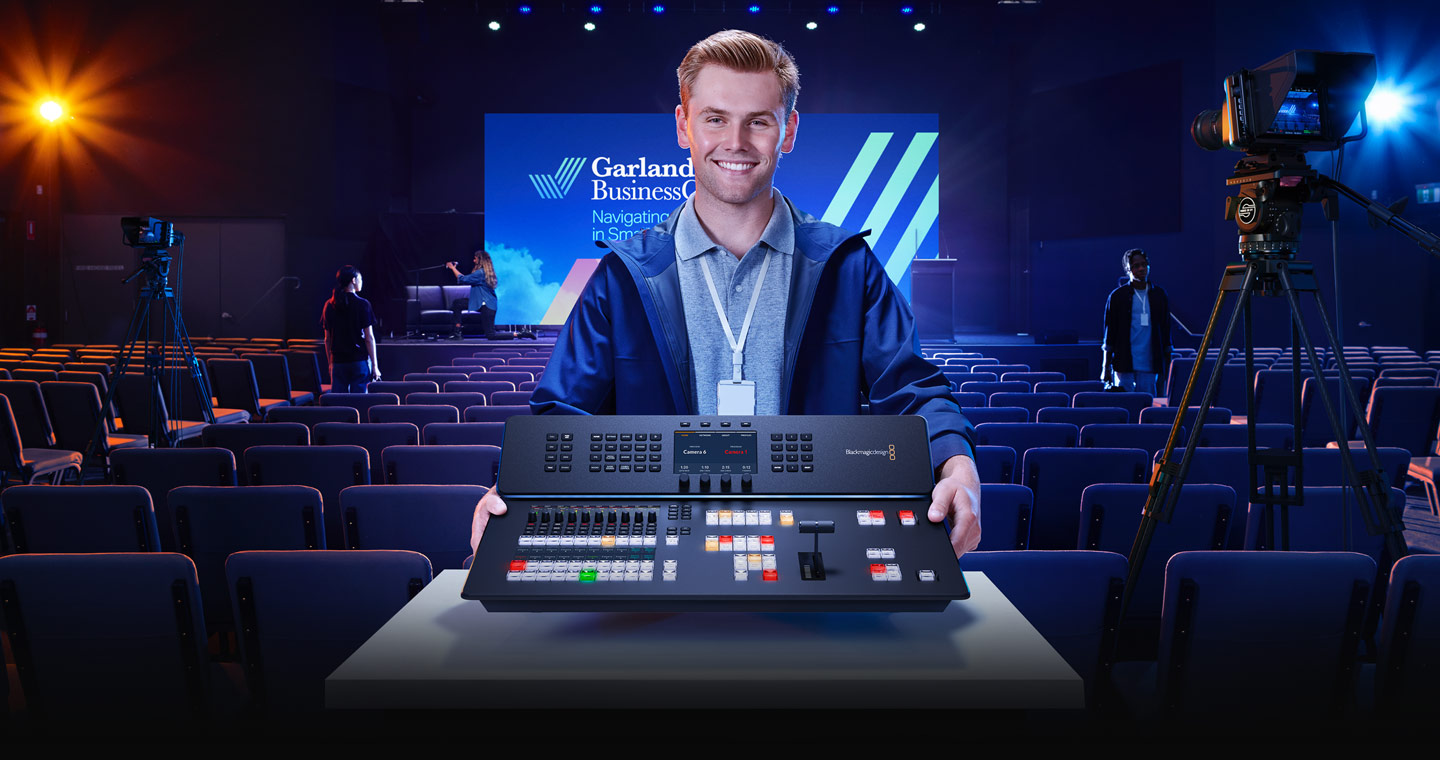
The ATEM Television Studio HD requires more space than the Mini family. The device itself is larger, with its control panel built into the front of the unit, so plan desk or rack space for it.
Connect your HDMI inputs for cameras and graphics sources to the back of the switcher. Connect Ethernet for networked control and streaming configuration. The Television Studio HD streams directly to YouTube, similar to the ATEM Mini Pro, but with more capability.
Because the control panel is built in, put the switcher itself at your operator’s position so they have tactile feedback and visual feedback simultaneously.
Understanding the Control Panel
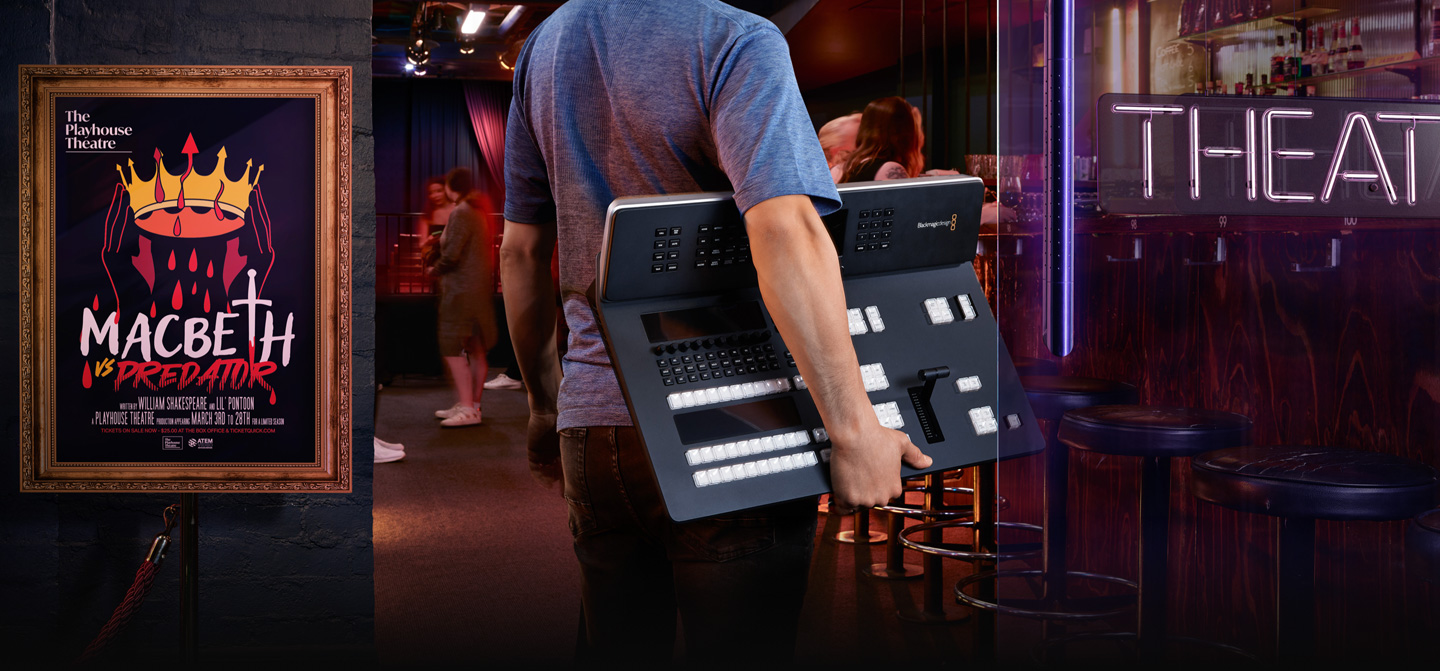
The control panel provides dedicated buttons for every function: camera selection, transitions, effects, audio level faders, and more. This is different from the Mini family’s approach of using software buttons on a PC.
Many professional operators prefer hardware buttons. They’re faster, more intuitive, and more reliable than clicking software buttons under pressure during a live broadcast. Your operator’s hands stay on the panel at all times—no mouse, no keyboard needed.
The learning curve is steeper than the Mini family, but the workflow becomes natural quickly for experienced operators.
Audio Integration
The Television Studio HD has professional audio inputs: XLR connectors for microphones and balanced audio from your mixer. This is a significant step up from the RCA and 3.5mm inputs on the Mini models.
Connect your mixer’s master output to the Television Studio HD’s balanced XLR input. Audio levels are adjusted via physical faders on the control panel, giving your operator immediate tactile feedback.
For most churches, professional audio integration is overkill. You can use an adapter to go from XLR to RCA if needed. But if you’re running a large production with a significant audio team, the XLR connectivity is cleaner.
Direct Streaming Configuration
Like the ATEM Mini Pro, the Television Studio HD streams directly to YouTube. Configure your stream key in the control panel settings or via ATEM Software Control if you prefer software configuration.
The Television Studio HD can handle multiple simultaneous streams and supports higher bitrates than the Mini models. If you’re streaming at 4K or running redundant streams, the Television Studio HD’s capability is more relevant.
For most churches, a single 1080p30 stream to YouTube is sufficient, and the Television Studio HD is overbuilt for this. You’re paying for capability you might not use.
Multiview and Monitoring
The Television Studio HD has dedicated monitor outputs for program and multiview. Connect your main broadcast monitor to the program output and your confidence monitor to the multiview output.
This gives your operator clear visibility into both what’s on the broadcast and what’s coming next.
Multiple Keyers and Effects
The Television Studio HD has more keyers and effects capability than the Mini family. You can create more complex visual designs and layer more graphics simultaneously.
The configuration process is identical to the Mini models—just more options available to you.
Comparison to ATEM Mini Pro
The Television Studio HD costs roughly 2–3 times more than the ATEM Mini Pro. The primary advantages are the physical control panel, more simultaneous keyers, and professional-grade audio connectivity.
For most churches, the ATEM Mini Pro is a better value. You get 80% of the capability at 40% of the cost. The Television Studio HD is for churches that value hardware operation and want the maximum possible professional features.
Your First Broadcast
Set up your cameras and audio, position the control panel, and power on the Television Studio HD. Use the control panel buttons to select cameras and make transitions. Audio is managed via the faders on the panel.
Start a stream to YouTube. Your broadcast flows just as it would with a smaller ATEM, but with more polished hardware control.
The Television Studio HD is a professional tool. If your church’s production team has experience with broadcast equipment, the Television Studio HD will feel natural and familiar. If you’re building from scratch, the ATEM Mini Pro is probably a better entry point.