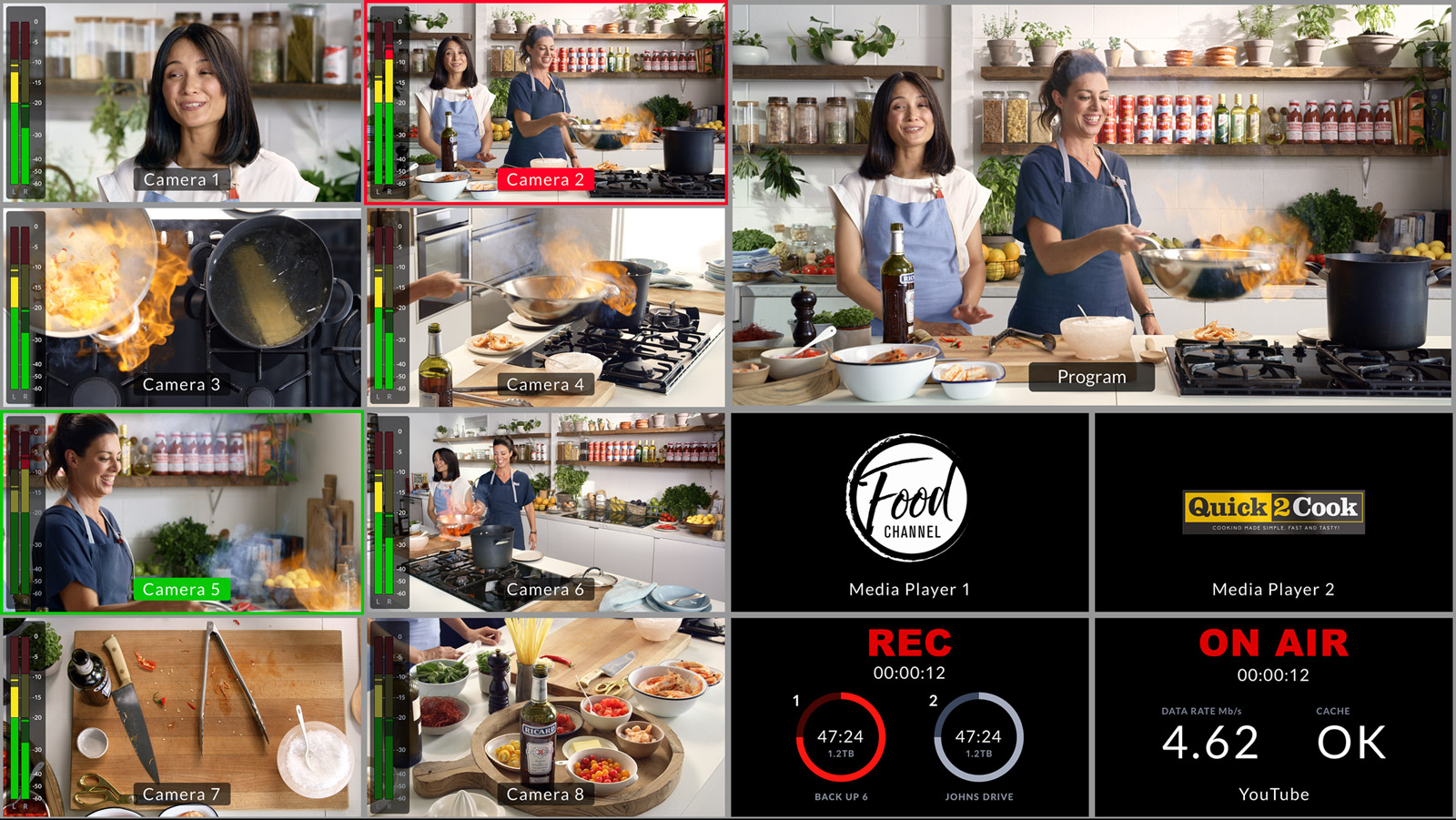
Macros on the ATEM Mini Extreme can coordinate eight camera inputs, multiple keyers, SuperSource layouts, transitions, and audio adjustments—all with a single button press. For large churches running complex productions with multiple team members, macros are the difference between controlled chaos and smoothly coordinated broadcasting.
This guide walks through designing macro strategies that scale from simple services to elaborate productions.
Macro Architecture for Large Services
Think of your service as a sequence of moments, each with a specific visual and audio configuration. Your Opening moment needs a particular camera, particular graphics, particular audio levels. Your Song moment needs different settings. Your Sermon moment needs different settings still.
Build a macro for each moment. You’ll have ten macro slots available, so you might have: Opening, Song 1, Song 2, Sermon, Prayer, Offering, Song 3, Closing, plus two spares. During your service, your operator progresses through these macros in order.
This is how television shows run. Each segment of the show has a canned setup. The control room operator triggers the macro for that segment, then operates within that segment as needed.
Recording Macro Sequences with Precision Timing

When you record a macro, include pauses and transitions that match your service flow. If your Opening moment has a two-second fade from graphics to camera, record that fade timing into the macro. When the macro plays, it will execute the fade at the correct speed.
This level of detail makes your broadcast feel intentional and professional. Every transition is timed correctly, every audio adjustment happens at the right moment, every graphic appears and disappears on schedule.
However, don’t over-automate. Leave room for your operator to make manual adjustments if the service flows differently than expected.
Multi-Input Macros
A Song macro might coordinate: Camera 1 (worship leader), Camera 2 (band wide shot as backup), ProPresenter input as a keyer, audio level adjustments for the worship team, and a SuperSource layout positioning everything correctly.
When your operator clicks the Song macro, all of these elements align instantly. The worship leader’s camera is active, the ProPresenter keyer is visible in the lower third with lyrics, audio levels are optimized, and the SuperSource layout is engaged. Everything is ready.
This is automation in service of human operators. The macro handles the complex setup, and the operator manages real-time switching and reactions within that setup.
Keyer and SuperSource Macros
Create macros that engage specific keyer and SuperSource configurations. A “Sermon with Scripture” macro might: select the sermon camera, enable keyer 1 with ProPresenter for scripture references, enable a SuperSource layout, and set audio levels. All in one macro.
Since you have ten macro slots and likely only five to eight main moments in your service, you can create variations. A “Sermon Highlight” macro might be identical to “Sermon with Scripture” but with the SuperSource layout sized differently to emphasize the speaker more. Your operator chooses which variation to use based on how the sermon is unfolding.
Chaining Macros for Complex Moments
Some moments require multiple quick actions. When transitioning from Song to Sermon, you might want a brief moment of just graphics (your sermon series title), then fade to the pastor. This sequence could be: click “Transition to Sermon” macro (which displays your title card), manually wait two seconds, then click “Sermon Active” macro (which shows the pastor with scripture references).
Alternatively, you could record the entire sequence (both camera changes and timing) into a single macro. The downside is that you lose flexibility if the service timing changes.
The best approach: use macros for the complex setup (cameras, keyers, SuperSource), and use manual switching for transitions between macros. This gives you structure while maintaining flexibility.
Macro Backup and Documentation
Ten macro slots is not many. If your service has eight macros plus one spare, you’ve used nine slots. You have one slot left for experimenting or handling unexpected moments.
Document what each macro does. Create a simple text file or spreadsheet: Macro 1 = Opening, Macro 2 = Song 1 (Energetic), Macro 3 = Song 2 (Contemplative), etc. Share this with anyone who might operate your switcher.
Also periodically backup your macro library. In ATEM Software Control, you can export your macros to a file. Store this file safely. If your ATEM ever needs to be reset or moved, you can re-import your macros instantly.
Macro Variations and Conditional Branching
You can’t create true conditional logic in ATEM macros (no “if this then that”), but you can create variations and let your operator choose.
Create “Song Energetic” and “Song Contemplative” as separate macros. Your worship leader tells your operator which type of song is coming, and the operator triggers the appropriate macro.
Create “Sermon with Graphics” and “Sermon Minimal” for different sermon styles. This flexibility within your macro library is more valuable than trying to automate away all operator decisions.
Testing Macros Before Service
Never introduce a new macro into a live broadcast without testing. Record each macro you create, then play it back while walking through the service script. Verify that every camera is correct, every keyer is at the right position, and every audio level is right.
Test during the week, preferably during a full rehearsal where you can have people on stage running through the service moments. Let your worship leader see the opening macro displayed while they’re standing in the staging area. Let your pastor see how the sermon macro looks while he’s at the podium. Get real feedback before Sunday.
Audio Levels in Macros
Macros can capture audio fader positions. If your Song moment requires louder worship team audio, record the faders at that level into the macro. When the macro plays, the audio automatically adjusts.
However, be careful: if your mixer operator has already adjusted audio before the macro plays, the macro might override their settings. Coordinate with your audio team about when macros adjust levels and when the audio operator maintains manual control.
Many churches use a hybrid approach: the macro sets initial audio levels, and the audio operator tweaks them live if needed. This gives you a good starting point while maintaining flexibility.
Troubleshooting Macro Issues
If a macro doesn’t perform as expected, re-record it. Delete the macro, click Record on that slot, repeat the actions you want, and click Stop. The new macro will be cleaner than trying to edit the old one.
If a macro seems to execute partially (some actions work, others don’t), verify that all the inputs the macro is trying to access actually exist. If a macro tries to select Camera 4 but you only have two cameras connected, the macro will skip that action.
If a macro works perfectly in rehearsal but fails during a live service, it’s usually because the pre-service setup isn’t what the macro expects. Maybe a cable came loose, or someone unplugged a camera. Verify your setup matches the macro’s assumptions.
Expanding Your Macro Library Over Time
Start with macros for your core service moments: Opening, main songs, sermon, prayer, closing. Once these feel solid and you’ve done three or four services successfully, add variations: a second song macro for a different style, a sermon variation for special moments.
Build your macro library slowly and deliberately. Each macro you add should serve a clear purpose. Avoid creating “just in case” macros that you never use.
Macros as Institutional Memory
Over time, your macros encode your church’s production style. The positioning of graphics, the camera angles for different moments, the pacing of transitions—all of this becomes embedded in your macros.
This is valuable. When you train a new switcher operator, you hand them your macro library and say, “These are how we do things.” They learn your style faster than they would by inventing everything from scratch.
Also, if your primary operator ever leaves, your macros are documentation of how things should work. The next operator can follow your macros until they develop their own preferences.
Your Advanced Workflow
As your team grows more skilled, embrace macro automation. Start each service by deciding which macros apply. Have your operator progress through them in sequence. Within each macro’s setup, allow for real-time operator decisions and reactions.
This gives you the best of both worlds: the consistency and coordination of automation plus the flexibility of live operation. Large churches running multiple services, special events, and complex productions rely on this exact workflow.
Your ATEM Mini Extreme with a sophisticated macro library becomes a production tool that scales with your ambitions. As your ministry grows, your macros grow with it, ensuring that new operators can execute your vision consistently, service after service.