The ATEM Mini Pro and ATEM Mini Pro ISO are closely related devices with one critical difference: the ISO model records every camera input separately, while the standard model records only the switched program feed. The price difference is roughly $200–300, which raises an important question for churches: Is ISO recording worth the extra investment?
This guide walks through the capabilities of each model so you can decide which fits your church’s actual needs.
What ATEM Mini Pro Records

The standard ATEM Mini Pro records (or streams) the program output—the final switched feed that you see when the service is broadcast. If you switch from camera 1 to camera 2, the recording shows that switch. Your YouTube archive is the program feed, which is perfect for people who want to watch the service as it was broadcast.
This is sufficient for 95% of churches. Your YouTube recording is the primary archive, and a local copy to your SSD is a backup. You’re done.
What ATEM Mini Pro ISO Records
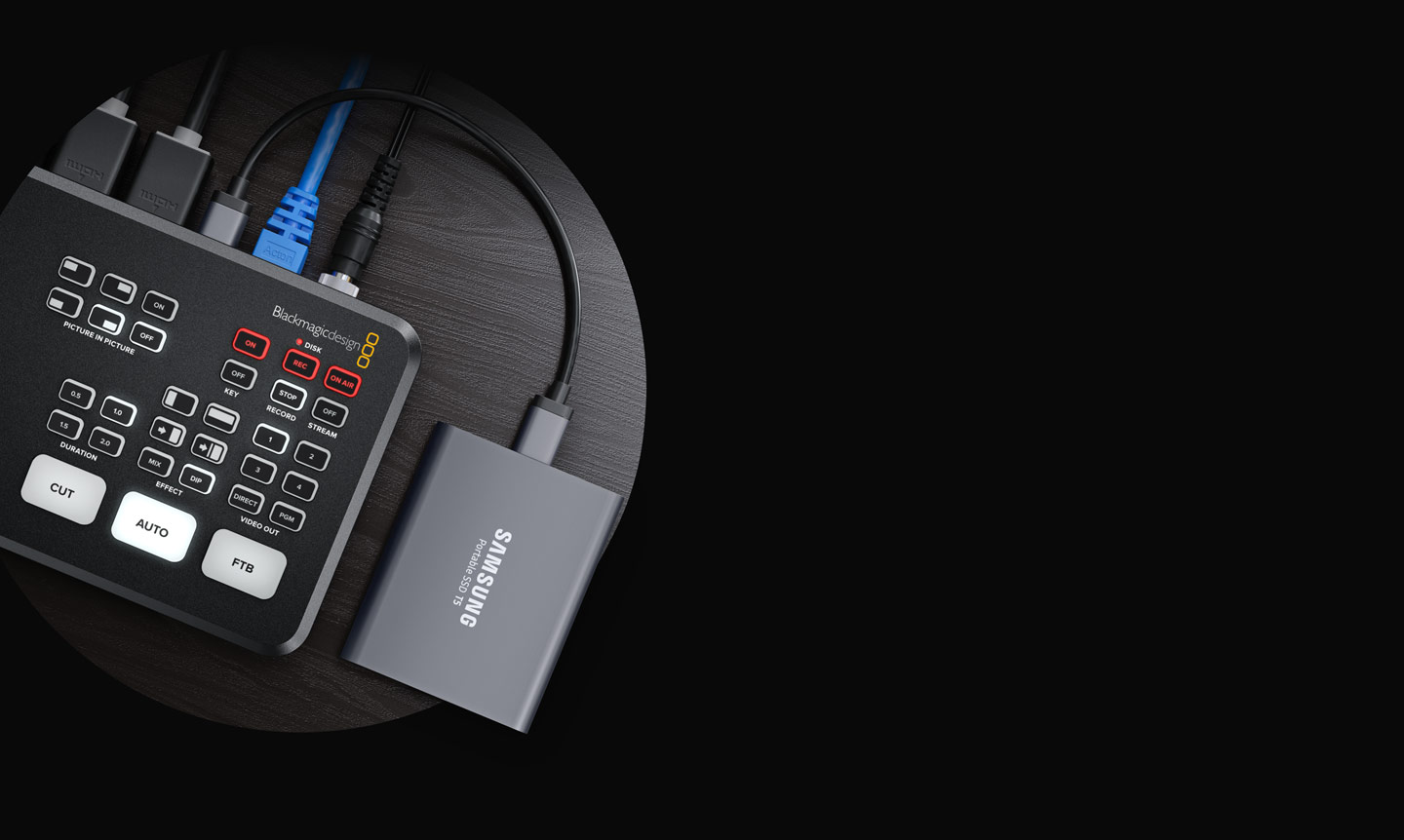
The ISO model simultaneously records five separate video streams: all four camera inputs plus the program feed. Each stream records continuously, independent of your switching decisions. When you cut from camera 1 to camera 2, the ISO files show that both cameras were recording and available for later editing.
This capability enables post-production re-editing. After the service, you can go back and choose different camera angles than you selected live. This is professional-grade capability.
Cost Comparison
The ATEM Mini Pro costs roughly $800–900. The ATEM Mini Pro ISO costs roughly $1100–1200. The price difference is approximately $300, or about 35% more.
In addition to the hardware cost, ISO recording requires ongoing investment in external SSD storage. You’ll need about 270 GB per month of storage, which means buying a new SSD every year or two. This adds $300–500 annually to your operating costs.
Meanwhile, the standard Mini Pro requires no additional storage investment—your YouTube recording is archived automatically.
Use Case: Standard Mini Pro (Right for Most Churches)
The standard ATEM Mini Pro is the right choice if: you’re comfortable with your live switching decisions and don’t need to re-edit later, you want to keep storage costs minimal, you have an operator skilled at live switching who can make good decisions in real time, and your primary goal is to broadcast and archive for immediate viewing.
Most churches fall into this category. Your switcher operator is trained, experienced, and makes good decisions. Your YouTube recording is excellent and fulfills all your archival needs. Upgrading to ISO doesn’t add practical value.
Use Case: ATEM Mini Pro ISO (Right for Some Churches)
The ISO model makes sense if: you want to re-edit services for sermon highlights or social media clips, you plan to build a polished video library over time, you have (or plan to hire) video editors who can work with multi-track source material, you want the maximum flexibility and the ability to correct live switching mistakes, or you produce content beyond Sunday services (weddings, events, etc.) where re-editing is valuable.
Churches with dedicated media teams, those producing content for platforms like TikTok or Instagram (where short clips drive engagement), or churches with video-savvy leadership often find ISO recording worthwhile.
The Time Investment
Here’s the crucial reality: recording is easy. Re-editing is not.
A one-hour sermon recorded in ISO generates five video files totaling about 68 GB. Re-editing that service in DaVinci Resolve takes 2–4 hours of skilled editing work. Over a year, if you re-edit one service per month, you’re investing 24–48 hours of editing time annually.
That editing time must come from someone—either a volunteer with serious skills or a paid staff member. Most churches don’t have that person available. This is why many churches buy the ISO model, record services, but never actually re-edit them. The hardware sits underutilized.
Be honest about whether you have (or can recruit and train) someone who will actually do the re-editing work.
The Practical Middle Ground
Some churches use a hybrid approach: buy the standard Mini Pro and use YouTube for their main archive. Occasionally (for special sermons, special events, or sermon series they want to promote), they hire a freelance video editor to re-edit and create a polished version.
This is often more cost-effective than buying the ISO model and either not using it or burning out a volunteer editor trying to keep up with monthly re-edits.
Quality of Recording and Archival
Both models record at the same resolution and bitrate. Your YouTube archive from a standard Mini Pro looks identical to the program feed recorded on an ISO model. The difference isn’t in picture quality—it’s in your ability to change the picture after the fact.
If your live switching was good, your YouTube video looks professional either way. The ISO model only adds value if you plan to actually re-edit.
Future Flexibility
One argument for the ISO model: it preserves future options. If your church decides next year that you want to start re-editing, you have the raw material. With the standard model, once the service is broadcast and recorded, you can’t go back and grab individual camera angles.
This is a valid point, and some churches buy the ISO model “just in case.” The cost of hardware is less than the cost of a skilled editor, so buying capability you might use later is sometimes the right business decision.
Bandwidth and Streaming Considerations
Both models can stream to YouTube simultaneously with recording. Neither model is limited by simultaneous operations. If you’re concerned about internet bandwidth, both handle streaming fine.
The ISO model creates more local data, but doesn’t affect your streaming performance. It’s purely a local storage matter.
Recommendation by Church Size and Capability
Small churches (under 200 in attendance, volunteer-run AV): Standard ATEM Mini Pro. ISO recording is overkill. Your volunteer switcher is already stretched thin—don’t add post-production work on top.
Medium churches (200–500 in attendance, dedicated AV team): Standard Mini Pro unless you have a volunteer or staff video editor. If you do have an editor, consider ISO. This is where the hybrid approach (standard Mini Pro + occasional freelance editing) makes the most sense.
Large churches (500+ in attendance, professional AV/video team): ATEM Mini Pro ISO. You likely have staff dedicated to content creation. ISO recording enables them to build a polished video library and create social media content from your services. The investment pays off.
A Realistic Assessment
Most churches that buy the ISO model don’t use it fully. They record every service but re-edit maybe 10% of them. Their archive of ISO files grows larger every month, but most files are never opened.
This isn’t a failure—it’s normal. You’re buying optionality. You have the capability to re-edit if a special moment or important sermon warrants the effort.
But if you’re trying to decide purely on value-per-dollar, the standard Mini Pro delivers 80% of the capability at 70% of the cost.
Making Your Decision
Ask yourself: “If I buy the ISO model, will I actually re-edit sermons?” If you hesitate or aren’t sure, get the standard model. It’s a better fit.
If you’re confident you’ll re-edit at least a few sermons per year, or if you have a team member itching to learn video editing, the ISO model is the right choice.
Either way, both are excellent switchers for church streaming. The difference is optional capability, not core quality. Choose based on your realistic workflow, not on aspirational features you might not use.
The ATEM Mini Pro is the workhorse. The ATEM Mini Pro ISO is the workhorse with professional post-production capability. Most churches do great with the workhorse. Some thrive with both.
Know your ministry’s needs, and choose accordingly. You’ll make the right decision for your church.