Introduction
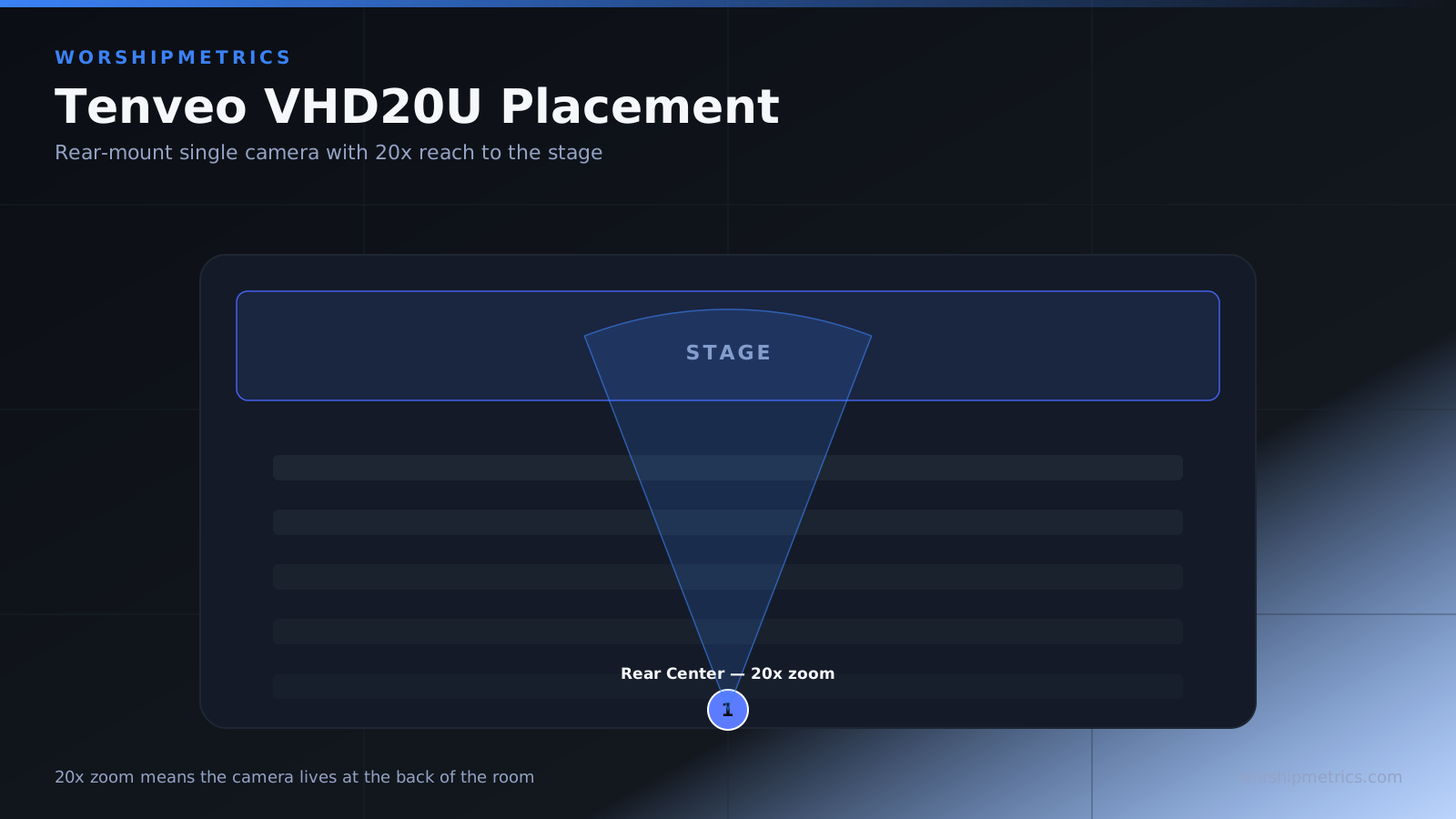
The Tenveo VHD20U’s 20x optical zoom gives you flexibility in where you position the camera. Unlike fixed-lens cameras that need front-row positioning to frame distant subjects, the VHD20U can be positioned at the back of the sanctuary or on a side wall and still zoom to frame a pulpit speaker with clarity.
Choosing the right camera placement is one of the most important decisions for your production system. Poor placement forces the operator to use extreme zoom positions that look unnatural on screen, or requires manual control rather than preset operation. Good placement allows the operator to frame all necessary moments with moderate zoom, which looks and feels more natural to online viewers.
This guide covers understanding sightlines, choosing camera positions, evaluating placement options, and testing placement before permanent installation.
Understand Sightlines and Field of View
Before choosing a camera position, understand what the camera needs to see. Most churches need to frame: the pulpit or speaking area, the worship team or band area, and possibly the congregation for response moments or baptism. Each of these areas may be in different locations.
Walk your sanctuary and identify each key area that needs to be framed. Stand at different possible camera positions and note whether you can see all key areas from that position. A camera position that cannot see the pulpit is unusable, regardless of other advantages.
The 20x optical zoom means the camera does not need to be very close to subjects. A camera positioned 30 or 40 feet away can zoom in to frame a speaker intimately.
Consider Permanent Camera Locations
Where can the camera actually be mounted in your space? Common locations are ceiling-mounted above the audience, mounted on a back wall, or mounted on a side wall. Each location has advantages and disadvantages.
Ceiling mounting above the audience gives a high camera position that can see the entire stage area. This works well if your ceiling is high enough and if the wiring can be managed in the ceiling space.
Back wall mounting puts the camera at the back of the sanctuary pointing toward the stage. This works for most church layouts and is often simpler to install than ceiling mounting.
Side wall mounting provides a perspective angle that can be interesting but may not see all necessary areas of the stage. Test this position carefully before committing.
Test Potential Positions Before Installation
Before permanently mounting the camera, test your intended position by temporarily setting the camera on a tripod or holding it by hand at the proposed mounting height and location. Use your presets to verify that all necessary angles are covered: wide stage, pulpit, worship team, and any special positions.
Take photos or video from that position showing the zoom range you need to cover. This testing prevents costly mistakes. A position that looks good in theory may reveal blind spots when actually tested.
Evaluate Sight Line Conflicts
Does the camera position have a clear sightline to all necessary stage areas, or are there columns, lighting rigs, or other obstacles that block the view? A column in the center of the stage may force the camera to look around it, which limits framing options.
Walk around your stage and identify any obstacles that could block camera sightlines from various positions. Position the camera to minimize these conflicts.
Consider Online Viewer Perspective
What will online viewers see from the camera position you choose? A camera positioned high looking down at the stage can feel distant to online viewers, even if it frames everything. A camera at eye level or slightly higher often feels more engaging.
A camera at the back of the sanctuary pointing toward the stage gives online viewers the same perspective as someone sitting in the back pew, which often feels natural and appropriate for a church broadcast.
Avoid Mounting Cameras Where Stage Lighting Hits Them Directly
If the camera is in the direct beam of stage lighting, heat buildup can affect image quality or even damage the camera over time. Position the camera to avoid being directly lit by spotlights or other intense lighting.
Also avoid positions where the camera will capture harsh lighting that creates excessive glare or image blow-out. A camera that looks directly into a bright light source will struggle with exposure.
Plan for Remote Control Access
The operator needs to be able to use the camera remote from their operating position. If the camera is mounted in a location that blocks sight of the stage monitor or that prevents the operator from seeing what the camera is framing, operation becomes difficult.
Position the camera so the operator can see both the stage (to judge when cues are coming) and your monitor (to see the camera’s actual framing). This allows the operator to anticipate preset recalls based on what they see happening in the room.
Consider Cable and Power Access
Does your chosen position allow you to run power and HDMI cables without creating hazards or unsightly routing? Cables draped across the room create tripping hazards and look unprofessional in online broadcasts.
Plan your cable routing as part of the placement decision. If your intended position requires cable to run across a walkway, you may need to use cable protection or choose a different position.
Evaluate Temperature and Environmental Factors
Is the camera position exposed to extreme heat or cold? Direct sunlight through windows, proximity to heating vents, or cold outside air can affect camera performance.
A camera mounted in a position where temperature swings significantly may become unreliable. Position the camera in a location with relatively stable temperature and lighting conditions.
Make the Position Accessible for Maintenance
Can you access the camera for periodic cleaning, adjustment, or maintenance? A camera mounted in an impossible-to-reach location becomes a problem when it needs adjustment.
Choose a position that can be reached with a ladder or that is otherwise accessible. Document how to safely access the camera for maintenance.
Test the Position During Actual Service Flow
Once you have chosen a position, test it during a full service rehearsal. Use your presets and note whether you can frame all service moments effectively. Watch for any operational issues—blind spots, focus problems, or preset recalls that are awkward.
If the position reveals issues during rehearsal, make adjustments before going live. If necessary, try a different position temporarily to verify that another location works better.
Document Your Final Position Choice
After confirming your position works well, document it: take photos, note the location, document cable routing, and describe why you chose this position. This documentation helps if you ever need to relocate the camera or if someone new needs to understand your setup.
Conclusion
Smart camera placement simplifies operation and improves video quality throughout your broadcast. The Tenveo VHD20U’s 20x zoom gives you flexibility to position the camera in the best sightline location rather than where it is close to subjects.
Spend time testing positions before permanent installation. A few hours of testing saves weeks of struggling with a poorly positioned camera. Once positioned well, the camera operates reliably and requires minimal operator adjustment beyond preset recalls.