Proper PTZ camera mounting is crucial for professional broadcasts. The camera’s position determines what your viewers see, and installation quality affects long-term reliability. This guide covers mounting options, positioning considerations, and professional cable management for church environments.
Choosing a Mounting Location
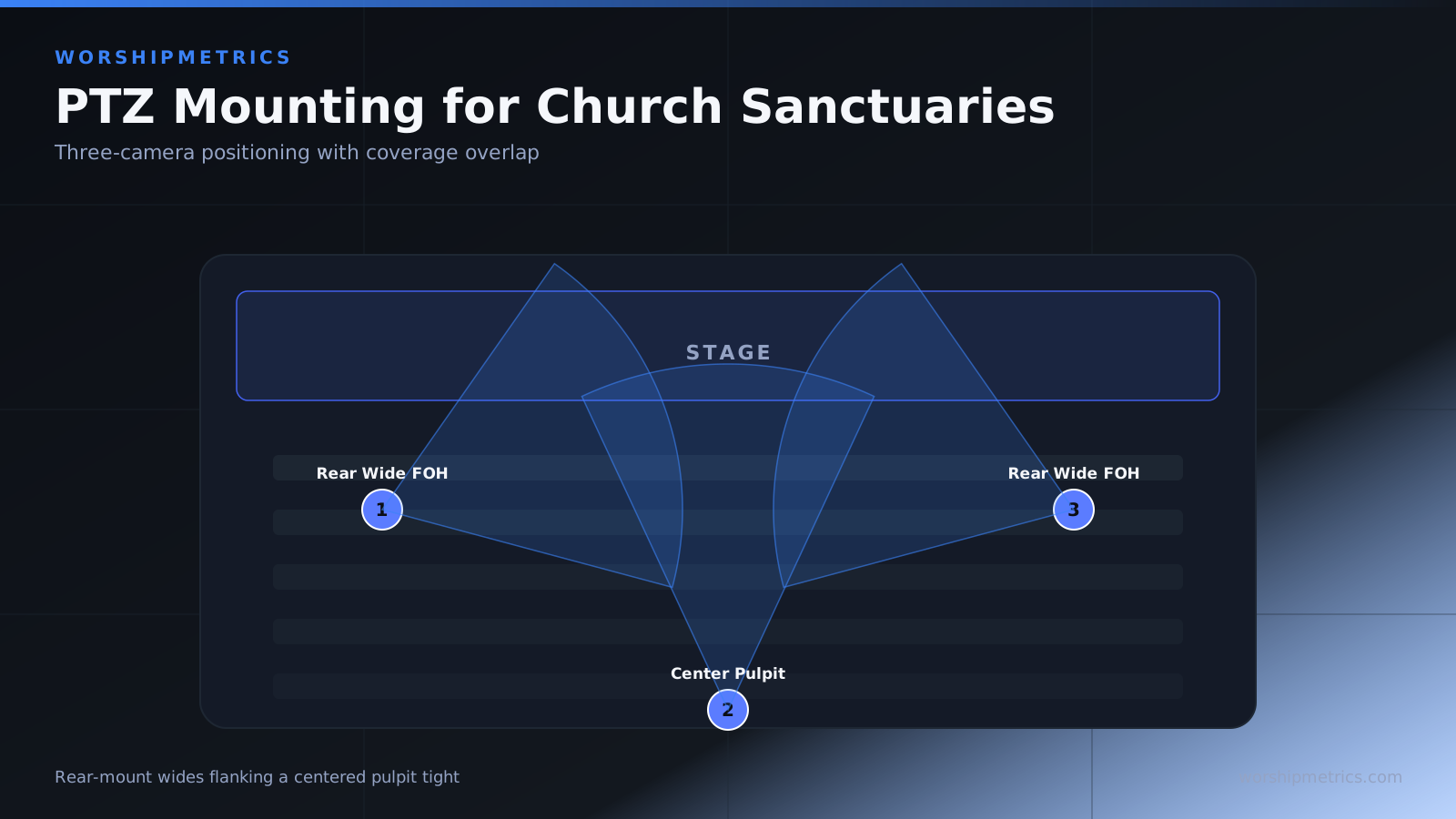
The best location for a PTZ camera depends on your sanctuary layout and broadcast goals. Most churches mount cameras at the rear of the sanctuary looking toward the stage, providing good angles to see both stage and congregation.
Identify the specific location by observing your sanctuary. Stand where the camera will be mounted and imagine what you’d see. You want to see your entire stage without obstacles, ideally with some congregation visible too.
The height of the mounting location matters. Mounting 10 to 20 feet high works well for most sanctuaries, high enough for good angles but not so high that the camera looks down at people’s heads.
Structural Support Assessment
PTZ cameras are heavier than fixed cameras, typically weighing 3 to 8 pounds. They require solid structural support that can handle the weight plus the movement stresses from the pan-tilt mechanism.
Never mount a camera directly to drywall or ceiling tiles. These materials can’t support the camera’s weight and vibration. Instead, mount to structural members—ceiling joists, trusses, or steel beams.
Use a stud finder to locate ceiling joists if you have a drop ceiling with removable tiles. If your ceiling is drywall directly attached to structure, locate joists and plan the mounting location accordingly.
Bracket and Mount Selection
Select a PTZ camera mount rated for your camera’s weight and designed to support the pan-tilt mechanism’s forces. Quality mounts provide tilt adjustment so you can angle the camera down toward your stage.
Avoid cheap generic camera mounts. Professional PTZ mounts are engineered for the stresses that motorized movement creates. Invest in a quality mount that will last for years.
Fastener Selection
Use appropriate fasteners for your ceiling type. For wood joists, lag bolts or heavy-duty screws rated for your camera’s weight work well. For steel structure, use bolts with lock washers.
All fasteners should be rated for at least ten times the camera’s weight, providing a safety factor. Use at least two fastening points, preferably more.
Cable Routing Planning
Before you mount the camera, plan how cables will route from the camera to your equipment. Power cables, network cables, or HDMI cables need to reach your broadcast station safely.
For ceiling-mounted cameras, cables typically route along the ceiling to a drop point, then down the wall to your equipment. Use cable trays, conduit, or carefully managed cable clips for a professional installation.
Cable Management Systems
Professional installations use cable trays or conduit to organize cables. These systems keep cables organized, protected, and hidden from view.
Adhesive cable clips can work for smaller installations, but they’re visible and less professional. For permanent installations, use trays or conduit for the best appearance and protection.
Safe Cable Runs
Never create tripping hazards with cables. If cables must come down a wall, secure them every four feet so they don’t dangle where someone could catch their head.
Route cables where they won’t be damaged by foot traffic, chairs, or other equipment. Protect cables passing through doorways with cable covers or ramps.
Power Supply Access
PTZ cameras require constant power. If there’s no outlet near your mounting location, you’ll need to run power cables from a distant outlet or have an electrician install a new outlet.
Never use extension cords or power strips in ceiling spaces—this is a fire hazard. Permanent power should come from the building’s electrical system. Consult an electrician if you need a new outlet installed.
Network Cable Runs
Network cables for cameras need to reach your network switch, which might be in a distant equipment room. Plan cable runs that are safe and don’t interfere with building operations.
If running cables through walls or ceilings, use proper conduit and ensure you’re not interfering with electrical wiring or other building infrastructure.
Angle and Positioning
The camera’s mounting angle is important for creating natural-looking video. Avoid mounting so low that the camera looks up at people’s faces, and avoid mounting so high that it looks straight down at the tops of people’s heads.
A slight downward angle (5 to 15 degrees) usually creates the most flattering framing. Use the bracket’s tilt adjustment to set the proper angle during installation.
Pan and Tilt Range Considerations
Position the camera so that it can pan left and right across your entire stage without hitting walls or ceiling obstacles. Verify that the full tilt range (looking up and down) doesn’t cause the camera to look at ceilings or floors.
You might want to limit the pan and tilt range in the camera’s software settings so the camera doesn’t pan into areas you don’t want it to see.
Avoiding Vibration Issues
Ensure the mounting is solid and vibration-free. Vibration from the pan-tilt mechanism can cause the image to shake in your broadcast.
Test the installation by moving the camera and watching for any movement of the mounting bracket or cables. If you see movement, tighten fasteners or reinforce the mounting.
Cable Strain Relief
Create a strain relief loop near the camera connection points to prevent cables from being yanked loose if someone accidentally tugs them. A loop of extra cable near the connection point absorbs the stress.
Secure cables so they don’t move with the pan-tilt mechanism. The camera’s movement shouldn’t put stress on cables.
Professional Installation
For churches without experienced technicians, consider hiring a professional AV installer. They can assess your building, properly size the mounting bracket, select appropriate fasteners, and ensure a professional installation.
A professional installation ensures the camera is secure and will operate reliably for years without problems.
Accessibility and Maintenance
Ensure that the mounted camera is accessible for maintenance. You might need to clean the lens, adjust focus, or perform firmware updates. If the camera is in a difficult-to-reach location, maintenance becomes frustrating.
Plan cable runs so that you can disconnect the camera for maintenance without having to remove cables from walls or trays.
Testing After Installation
After mounting the camera, test all its functions. Verify that pan, tilt, and zoom work smoothly. Check that the image is stable without vibration or drift.
Have someone in your control room watch the video while another person operates the camera. Watch for any unexpected behavior.
Conclusion
Proper mounting is the foundation of professional PTZ camera operation. A solidly mounted camera with well-organized cables operates reliably for years. Invest time and resources in professional mounting—it pays dividends in reduced technical problems and professional-looking broadcasts.