OBS is free and powerful, but it’s not the final word in streaming software. As churches grow and production demands increase, some teams outgrow OBS. vMix is the next step—a professional production suite that handles more cameras, more graphics, and more complexity. But vMix isn’t free, and it requires more powerful hardware. This guide helps you assess whether your church should upgrade and how vMix’s features justify the cost.
Signs Your OBS Setup Is Hitting Limits
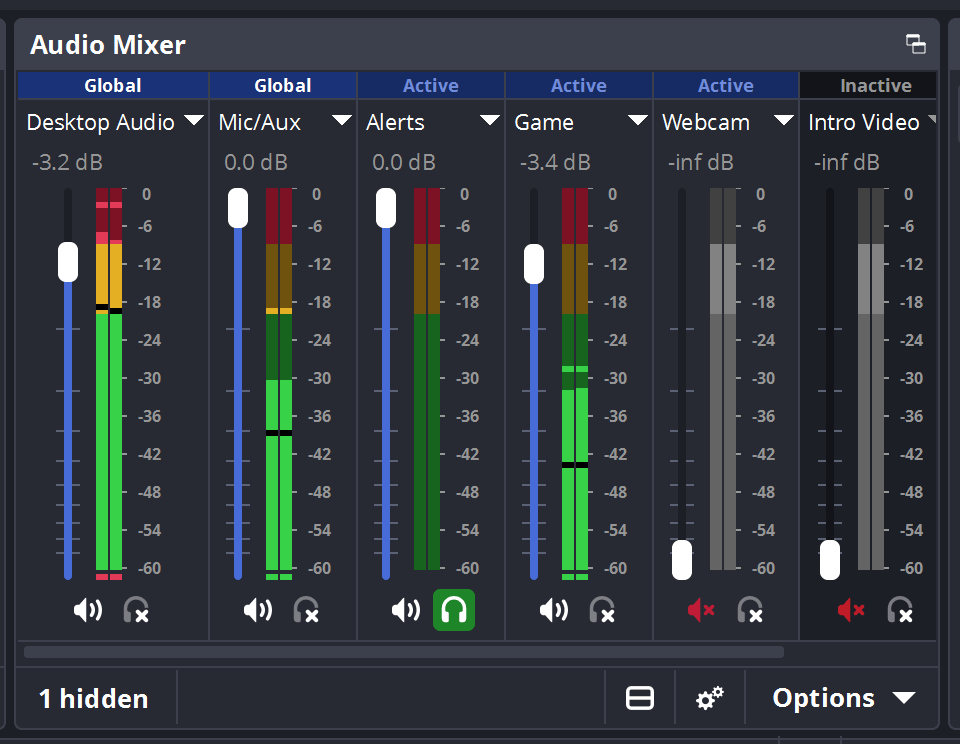
Your first hint is hitting the ceiling of what your current PC can handle. If you’re already on an i7 with 16GB RAM, using hardware encoding, and still seeing occasional dropped frames, your PC is maxed out. OBS’s architecture sends all video through one encoder. To handle more cameras or higher resolution, you’d need to upgrade to an i9 with 32GB RAM—a significant investment.
You’re managing too many scenes manually. If you have 20+ scenes and your director frequently switches the wrong one, or if scene management feels chaotic, you’re beyond OBS’s sweet spot. OBS assumes one director per production with clear muscle memory. Larger churches with backup directors or rotating volunteer directors struggle with OBS’s flat scene list.
You need advanced graphics and titles. OBS has basic text overlays (via browser sources or third-party plugins), but vMix includes a full title system with built-in animations, lower thirds, and live updates. If your church wants polished graphics without third-party tools, vMix’s native solution is powerful.
What vMix Adds to OBS
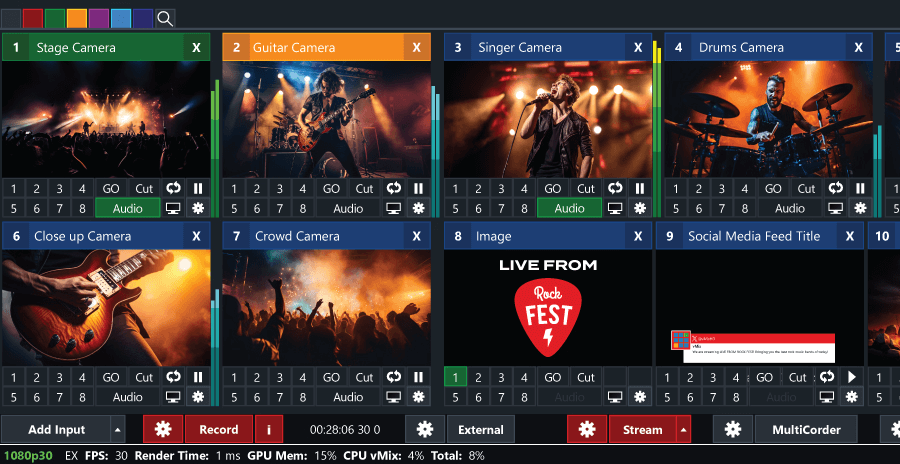
vMix supports more simultaneous inputs. OBS handles 10–20 inputs smoothly depending on your PC. vMix handles 50+ inputs, NDI, RTMP streams, and external feeds without breaking a sweat. If you have four cameras plus multiple ProPresenter feeds, multiple volunteers, and multiple websites streaming simultaneously, vMix’s input capacity makes it easy.
vMix’s hardware encoder is built-in and always active, not an option you toggle. This means vMix consumes dramatically less CPU than OBS. A mid-range i7 runs vMix productions that would require an i9 in OBS. This is the single biggest performance advantage vMix has over OBS.
vMix has a built-in title system (GT) with layers, animations, and real-time updates. Create lower thirds, lyrics, scripture references, and announcements without leaving vMix. OBS requires browser sources or external graphics programs, which is more cumbersome.
vMix offers NDI tally lights. When you’re the primary camera in vMix, a tally light on the camera turns red automatically. Your camera operator knows they’re live without being told. OBS has no tally system; operators rely on verbal communication or watching a monitor.
vMix supports ATEM camera control. If you have ATEM Mini switchers or higher-end ATEM hardware, vMix can control them directly. OBS has no hardware control.
vMix streaming is more robust. vMix handles multi-platform streaming with better redundancy than OBS, and its dashboard provides more detailed per-platform metrics.
Cost and Licensing Considerations
OBS is free. vMix pricing starts at $60 (Basic tier for local streaming only), goes to $260 (Pro tier for unlimited everything), and tops out at $1,200 (Enterprise tier for large operations with technical support). Most churches use the Pro tier, which includes unlimited NDI inputs, streaming, recording, and full feature access.
That $260 annual subscription is the cost of one camera. For a church that’s already invested in multiple cameras, networking, and personnel, it’s a rounding error. However, if your church is budget-constrained, OBS remains the free option that works beautifully for years.
vMix also requires more powerful hardware. A solid OBS PC (i5, 8GB RAM) costs $400–600 used. A solid vMix PC (i7, 16GB RAM) costs $800–1,200 used. If you’re already maxing out your current PC with OBS, you’ll probably need a new PC to handle vMix smoothly anyway.
The total cost of upgrading: PC ($900) + vMix Pro ($260/year) vs. upgrading your current OBS PC to top-spec ($1,500+) is actually comparable. But they’re different decisions: OBS is a free upgrade, while vMix is a subscription.
Learning Curve and Adoption
OBS is simpler to learn. A volunteer can be productive in OBS within an hour. vMix takes longer—most volunteers need 4–6 hours of training to be comfortable, and 20+ hours of practice to master. vMix’s interface is more complex, which is the cost of additional features.
However, vMix’s learning curve plateaus. Once you understand vMix’s core workflow, most features are extensions of that workflow. OBS’s simplicity sometimes becomes a limitation when you want to do advanced things and have to patch together third-party solutions.
Some churches hire a dedicated technical director or streaming coordinator when they move to vMix. This person learns vMix deeply and operates it consistently, removing the burden from rotating volunteers. For large churches with multiple services, this specialization is valuable. For small churches, it’s a role that’s not necessary on OBS.
Hardware Requirements Difference
OBS can run on older i5 processors with 8GB RAM and still produce reliable 720p streams. vMix genuinely needs an i7 with 16GB RAM to handle the same production without strain. If your church is using 10-year-old PCs, vMix won’t run smoothly. You’d need to budget for hardware upgrade alongside the vMix license.
vMix is more demanding on GPU as well. If you’re using integrated graphics (Intel or AMD onboard GPU), vMix will struggle with multiple cameras and graphics. A dedicated graphics card (NVIDIA RTX or AMD equivalent) is recommended for vMix.
When to Stay on OBS
If your church’s stream consists of one or two cameras and occasional graphics, OBS is forever sufficient. There’s no point upgrading. The only reason to upgrade is if you’ve hit specific feature walls (advanced graphics, too many inputs) or performance ceilings (CPU maxed out).
If your budget is tight and you have volunteer directors who prefer simplicity, OBS is the right call. A free tool that works well beats a powerful tool that requires training and complexity.
If your PC is already four or five years old and you can’t justify a hardware refresh, stay on OBS. Upgrading to vMix means also upgrading your PC, which increases cost.
When to Upgrade to vMix
If you’re streaming multiple services, adding new features yearly, or have consistent growth, vMix becomes attractive. The feature set scales with your ambition. You can start with basic cameras and titles in vMix today, then add ATEM control and multi-site streaming next year as your program grows. vMix grows with you in a way OBS doesn’t.
If your director is requesting features OBS doesn’t have (better graphics, more inputs), it’s a sign vMix is worth exploring. Rent vMix for a month ($30) or try the free trial, and let your director play with it. The decision becomes obvious quickly—either vMix is worth it, or OBS continues to meet your needs.
If your current PC is already at 80%+ CPU usage during services, upgrading to vMix (which includes hardware encoding) and a new i7 PC will actually feel less expensive than buying an i9 to extend OBS’s life.
The decision to upgrade from OBS to vMix is pragmatic: it’s not about OBS being “bad,” but about your needs outgrowing what OBS offers. Most churches using OBS today will never need to upgrade. For those that do, vMix is the natural next step.