Many churches want their stream on both YouTube and Facebook—their communities use different platforms. OBS supports sending video to multiple destinations, but the approach depends on your setup and tolerance for complexity. This guide covers two popular methods: using Restream.io as a middleware platform, or adding a second destination to OBS with the free Multiple RTMP Outputs plugin. Each has trade-offs in reliability, ease of use, and cost.
Why Multistream Matters for Churches
Facebook and YouTube viewers rarely migrate between platforms. Your congregation members loyal to Facebook may never see your YouTube livestreams, and vice versa. Having your service simultaneously on both platforms removes the friction—people watch where they’re most comfortable. Many churches see 30–50% of their online viewership comes from secondary platforms, making multistreaming worth the setup effort.
Method One: Restream.io for Simplicity
Restream.io is a cloud platform that accepts a single video stream from OBS and distributes it to multiple platforms simultaneously. It’s purpose-built for this use case and is the most straightforward approach for churches new to multistreaming.
Create a Restream account at restream.io. Click “Add a new destination” and select YouTube, Facebook, and any other platforms your church uses (Twitch, LinkedIn, etc.). Authorize Restream to access each platform. Restream will generate a single RTMP ingest URL—this is the one server address you provide to OBS.
In OBS, go to Settings → Stream and select “Custom RTMP Server.” Paste the Restream ingest URL into the Server field and your Restream Stream Key into the Stream Key field. Click “Start Streaming,” and OBS sends one video stream to Restream, which then duplicates it across all your configured destinations.
The advantages of Restream are significant. You configure each destination once in Restream’s web interface—title, description, thumbnail, start time—and OBS doesn’t need to know those details. If you want to add a third platform tomorrow, you enable it in Restream without touching OBS. Your director has one button to stream to all platforms at once.
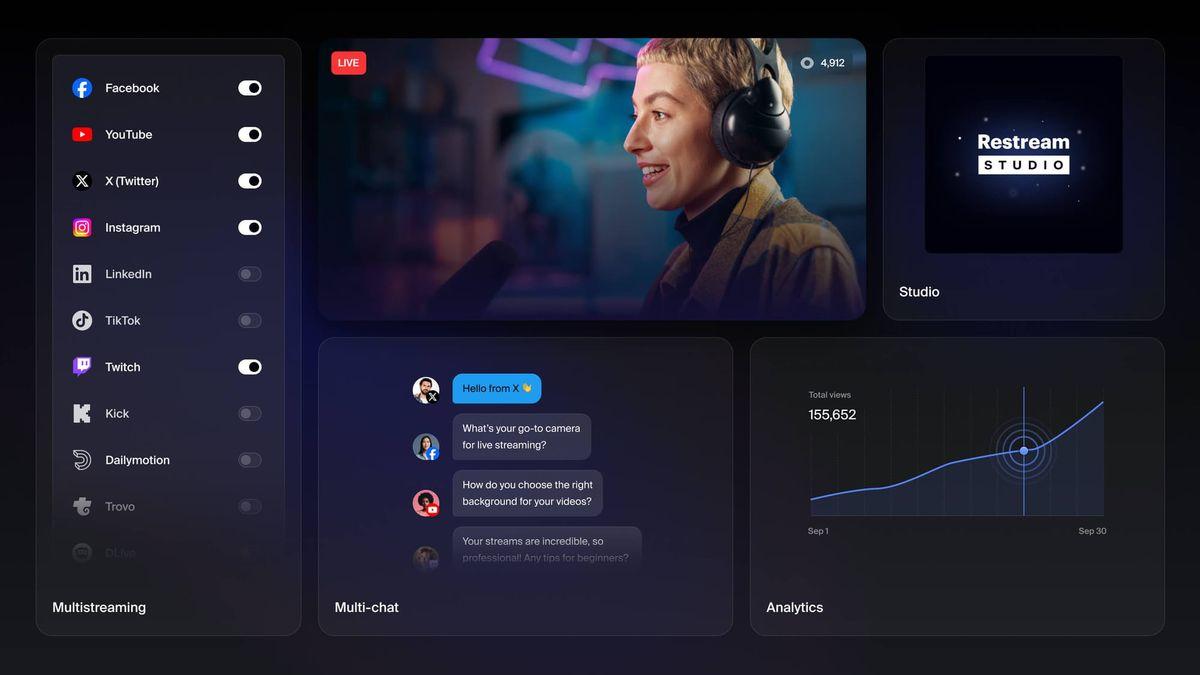
Restream’s dashboard shows real-time statistics for each platform: viewer count, bitrate, frame rate, chat messages from all platforms in one inbox. This unified view is helpful for larger productions. Restream also provides basic chat moderation and clip creation tools.
The cost of Restream starts free (limited to two destinations and low priority) and scales to $19/month for unlimited destinations and priority support. For small churches, free works fine. As you grow, the paid tier becomes worthwhile.
Method Two: OBS Multistream with the Multiple RTMP Outputs Plugin
On its own, OBS streams to one destination at a time, but the free Multiple RTMP Outputs plugin adds more, with no Restream needed. This approach has lower cost (it’s free) but more complexity.
In OBS Settings → Stream, set up your first platform as usual; the plugin handles the second. First, you need to get RTMP ingest URLs from both YouTube and Facebook. For YouTube, go to YouTube Studio → Go Live, create a new event, and in the Stream Details section, copy the RTMP server URL and stream key. For Facebook, go to your Page Settings → Publishing Tools, find the “Streaming” section, and copy your Facebook RTMP URL and key.
Put YouTube’s server and key in OBS’s Stream settings, then add Facebook’s server and key as a new target in the plugin’s panel, set to start together with OBS. OBS will send your video simultaneously to both. Click “Start Streaming” and you’re streaming to both platforms.
The advantage is cost savings—no monthly fee. The disadvantage is significant: OBS sends the exact same stream to both platforms, but YouTube and Facebook have different recommended settings, resolution support, and encoding preferences. What looks optimized for YouTube might appear blurry on Facebook, or vice versa. You’re forced to compromise.
Additionally, if one platform rejects your stream (due to network lag, authentication error, or policy violations), you might not immediately notice. Restream’s dashboard makes platform-specific issues obvious; with native multistream, you might not realize Facebook stopped receiving video until viewers complain.
There’s also the challenge of metadata. YouTube and Facebook let you set different titles and descriptions per stream. With native multistream, OBS sends identical video to both, but you still have to manage titles separately on each platform’s website. Restream handles this automatically.
Comparing Reliability for Live Services
For church streams, reliability during the actual service is paramount. If your stream fails mid-sermon, it’s a public failure. Restream adds a small reliability advantage: Restream’s servers have redundancy and load balancing. If YouTube’s servers are briefly congested, Restream’s infrastructure can buffer and catch up. Native OBS multistream relies on your upload internet connection to handle direct connections to both platforms simultaneously—if your connection drops, both streams stop immediately.
In practice, both methods are reliable for churches with stable upload speeds. A 5 Mbps upload can handle a 2.5 Mbps stream to Restream, or two simultaneous streams totaling 2.5 Mbps combined to YouTube and Facebook. The difference appears only when your internet is borderline (3–4 Mbps upload). Restream’s buffering is more forgiving.
Platform-Specific Considerations
Facebook prioritizes frame rate. A 30 fps stream looks smoother on Facebook than 24 fps. YouTube is less sensitive to frame rate but very sensitive to resolution consistency—if your resolution changes mid-stream, YouTube may glitch. Restream masks these differences somewhat, but not entirely. If you’re using native multistream, consider your primary platform: if YouTube is more important, optimize OBS for YouTube’s preferences.
Chat moderation differs between platforms. Facebook and YouTube have different chat interfaces, different rules, and different moderation tools. Restream aggregates chat into one view, but each platform still enforces its own rules. Many churches assign a volunteer to monitor chat on each platform, or use Restream’s unified dashboard to stay on top of both.
Making the Choice
For most small churches, Restream.io is the right answer. The free tier supports two destinations (YouTube and Facebook), covers your immediate need, and provides a clean interface for monitoring both streams. As your church grows or you want to add more platforms, the $19/month tier is affordable. You gain unified chat, better troubleshooting, and the mental peace of not managing two separate OBS stream configurations.
Native multistream is a valid choice if your church has strong technical expertise and wants to avoid any monthly costs. It works well but requires more careful setup and monitoring. Some churches use a hybrid approach: primary stream to YouTube via OBS custom RTMP, and simultaneously stream to Restream for Facebook distribution. This is overkill for most scenarios but works if you’re already comfortable with technical configuration.
Whichever method you choose, test it on a Friday or non-service day first. Start your stream, check both platforms to confirm video is arriving, monitor for 15 minutes to verify frame rate and quality are acceptable, then stop. Fix any issues before your first Sunday multistream. Your second service is never the right time to discover that one platform isn’t receiving video.