
Multi-campus churches with professional video infrastructure face a unique opportunity: their SDI infrastructure can extend to encode and distribute the main service feed to satellite campuses. The Kiloview E2, combined with SRT protocol, allows you to take a professional SDI video source from your main venue and reliably distribute it to receiving stations at satellite locations. This guide covers the implementation.
Professional Broadcast Advantage
Churches with professional SDI video systems have already invested in high-quality capture and processing. Rather than compromising that quality by converting to HDMI or consumer formats, the E2 allows you to maintain professional signal quality throughout your distribution chain.
Your main venue’s SDI output feeds the E2. The E2 encodes at your chosen quality level and distributes via SRT to satellite campuses. Satellite locations receive the feed over SRT (low-latency, reliable protocol) rather than over public streaming platforms with their inherent delays.
This is especially valuable for worship experiences where music, announcements, and live moments need to feel synchronized across campuses.
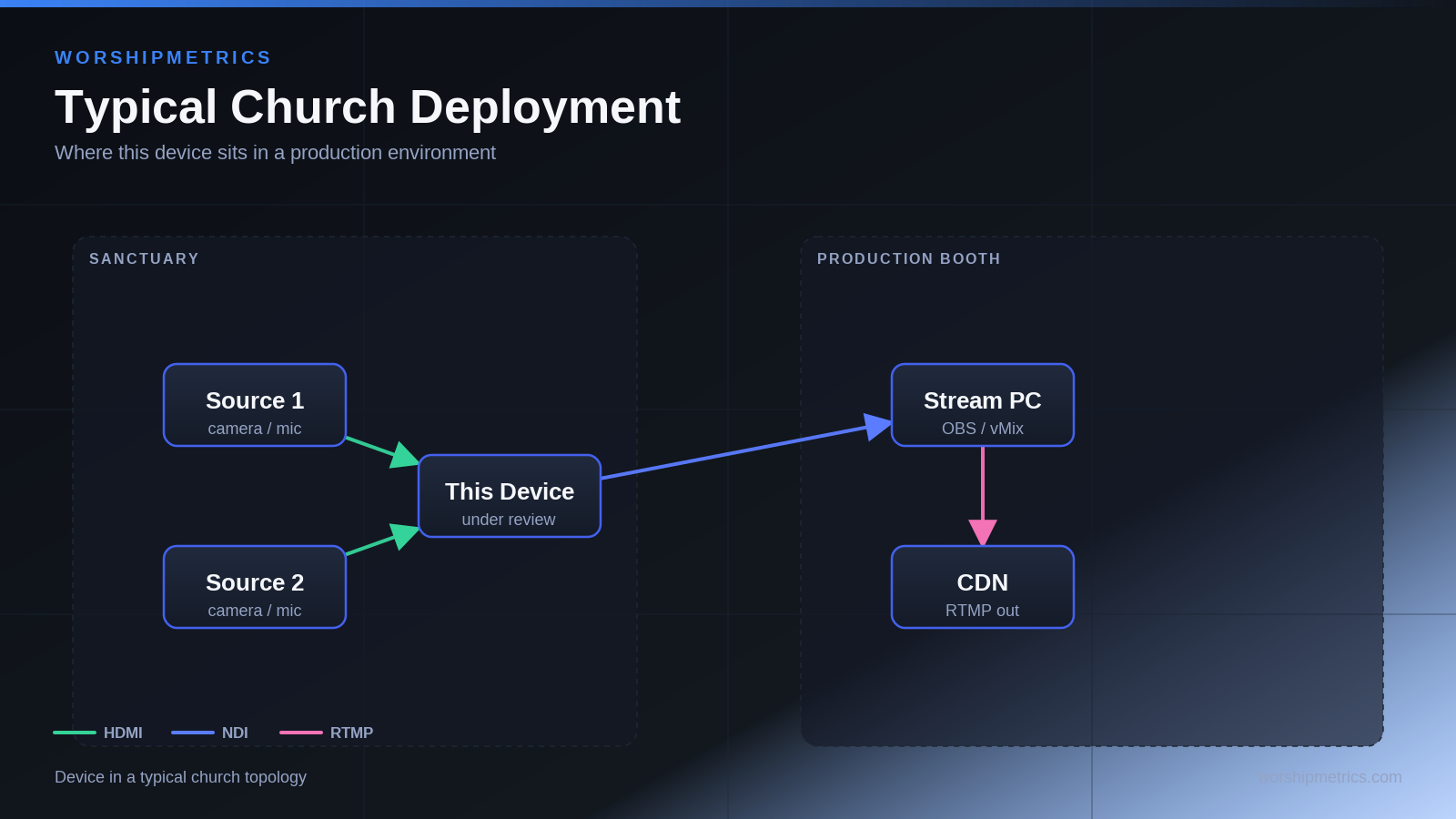
Setting Up SDI Input at Main Venue
The main venue’s Kiloview E2 connects to your professional SDI video infrastructure. This is typically your main video mixer’s SDI output—the feed that would normally go to your sanctuary projectors.
Configure the E2’s SDI input exactly as described in the E2 setup guide. Verify that SDI signal is detected and your resolution/frame rate settings are correct.
Configuring SRT Listener Mode for Distribution
Rather than streaming to YouTube or Facebook (which your public audience might access through the platforms), configure the E2’s SRT capability for direct multi-campus distribution.
Navigate to Streaming in the E2’s web interface and select SRT as the protocol. Choose Listener mode—your E2 will wait for receiving stations at satellite campuses to connect to it.
Specify a listening port (for example, port 5000) and enable SRT passphrase protection with a strong passphrase like “MainCampusSDI2024”. Document this port and passphrase securely.
Configure your bitrate for multi-campus SRT distribution—typically 5000-6000 kbps for high-quality 1080p. This is higher quality than you might stream over public internet to YouTube, since your SRT distribution runs over dedicated infrastructure (either your internal network or contracted WAN links between campuses).
Installing Receiving Stations at Satellite Campuses
Each satellite campus needs a receiving station capable of accepting SRT input and displaying it. Options include a second Kiloview E2 configured as an SRT receiver, OBS with SRT source support, or dedicated hardware video receivers.
For simplicity, many churches deploy OBS at each satellite campus. OBS runs on standard computers and can receive your E2’s SRT stream and output it to local displays or recording systems.
In OBS, add a custom protocol source with the SRT connection string: srt://[main-venue-E2-ip]:5000?passphrase=MainCampusSDI2024. OBS connects to your main E2 and displays the live feed.
Latency Optimization for Professional Synchronization
Professional multi-campus setups require careful latency management. Satellite campuses need to see the feed with minimal delay so music, announcements, and live moments feel synchronized.
On a LAN or dedicated WAN link between campuses, you can achieve 2-3 second latency with the E2’s default SRT settings. Test your configuration and measure actual latency by having someone wave at a camera and timing when it appears at the satellite campus.
Document this latency so campus staff understand the natural delay and can account for it in their operations.
Redundancy Strategies for Critical Distribution
If your main E2 fails, satellite campuses immediately lose the SRT feed. For critical multi-campus services, consider backup strategies.
Some churches deploy a backup E2 at the main venue connected to a secondary SDI output of their mixer. If the primary E2 fails, they manually switch satellite campuses to receive from the backup.
Alternatively, configure satellite campuses with fallback destinations. If SRT connection fails, they can fall back to receiving from a YouTube stream (with its higher latency) while you troubleshoot the primary SDI distribution.
Bandwidth Planning for Multi-Campus SDI Distribution
SDI distribution bandwidth requirements depend on your SRT bitrate and the number of simultaneous receiving stations. If you stream at 6000 kbps to three satellite campuses, you’re consuming approximately 18 mbps of bandwidth.
If you’re distributing over your church’s internal network infrastructure, this is easily sustainable. If you’re distributing over WAN links (internet connections between distant campuses), coordinate with your IT team to ensure adequate capacity.
For churches spanning a large geographic area, distributing over your WAN might compete with other network traffic. Negotiate QoS (Quality of Service) policies with your IT department to prioritize streaming traffic during services.
Integration with Professional Workflow
Your video production team continues operating normally. They work with professional SDI equipment, professional cameras, professional mixing. The E2 is transparent to their workflow—they simply ensure the SDI output they’re already monitoring for sanctuary displays also feeds the E2.
This seamless integration is valuable because it doesn’t require special training or workflow changes for your technical team.
Security Considerations for Professional Systems
Your main venue’s SDI feed represents your professional output—it’s what you’re distributing to satellite campuses. Ensure the E2 is in a secure location where only authorized AV staff have access to modify its configuration.
Use strong SRT passphrases. Even though your distribution is internal to your church network, a passphrase prevents unauthorized access if someone gains network access (whether intentionally or accidentally).
Document your configuration and passphrases securely. If your primary E2 operator is unavailable, ensure another team member can access the configuration without it being compromised.
Scaling Multi-Campus Distribution
The E2 can support many simultaneous SRT receivers. If you have five satellite campuses, all five can receive from a single main E2 simultaneously. Bandwidth is the only scaling constraint.
For a growing multi-campus network, the E2 scales effectively from 2-3 campuses up to 10+ campuses (assuming adequate bandwidth infrastructure between campuses).
Integrating with Existing Streaming
You might want to simultaneously stream to YouTube/Facebook (for public access) AND distribute via SRT to satellite campuses (for professional multi-campus synchronization). The E2 supports multiple simultaneous destinations.
Configure both an SRT listener destination (for satellite campuses) and RTMP destinations (for YouTube/Facebook). The E2 encodes once and sends to all destinations simultaneously.
This approach allows the public to follow along on YouTube while your staff at satellite campuses receive the higher-quality, lower-latency SDI-based SRT feed.
The Kiloview E2’s SDI and SRT capabilities create a professional-grade multi-campus solution. For churches with existing professional video infrastructure, the E2 is an economical way to leverage that infrastructure for multi-campus distribution.