The Reality of Phased Upgrades
Most churches don’t have a $10,000 budget sitting in the media ministry account. They have small budgets that compound over time. Maybe $2,000 one year, $3,000 the next, $2,500 the year after. The challenge is deploying these budgets strategically so that each dollar spent creates maximum impact.
This roadmap helps you prioritize. It tells you what to buy when, and more importantly, what not to buy yet. Many churches waste money on features they don’t need while skipping essentials they do. This roadmap prevents that mistake.
The timeline assumes starting from either zero infrastructure or a system that’s aged and unreliable. You’re rebuilding from the ground up, but doing it incrementally.
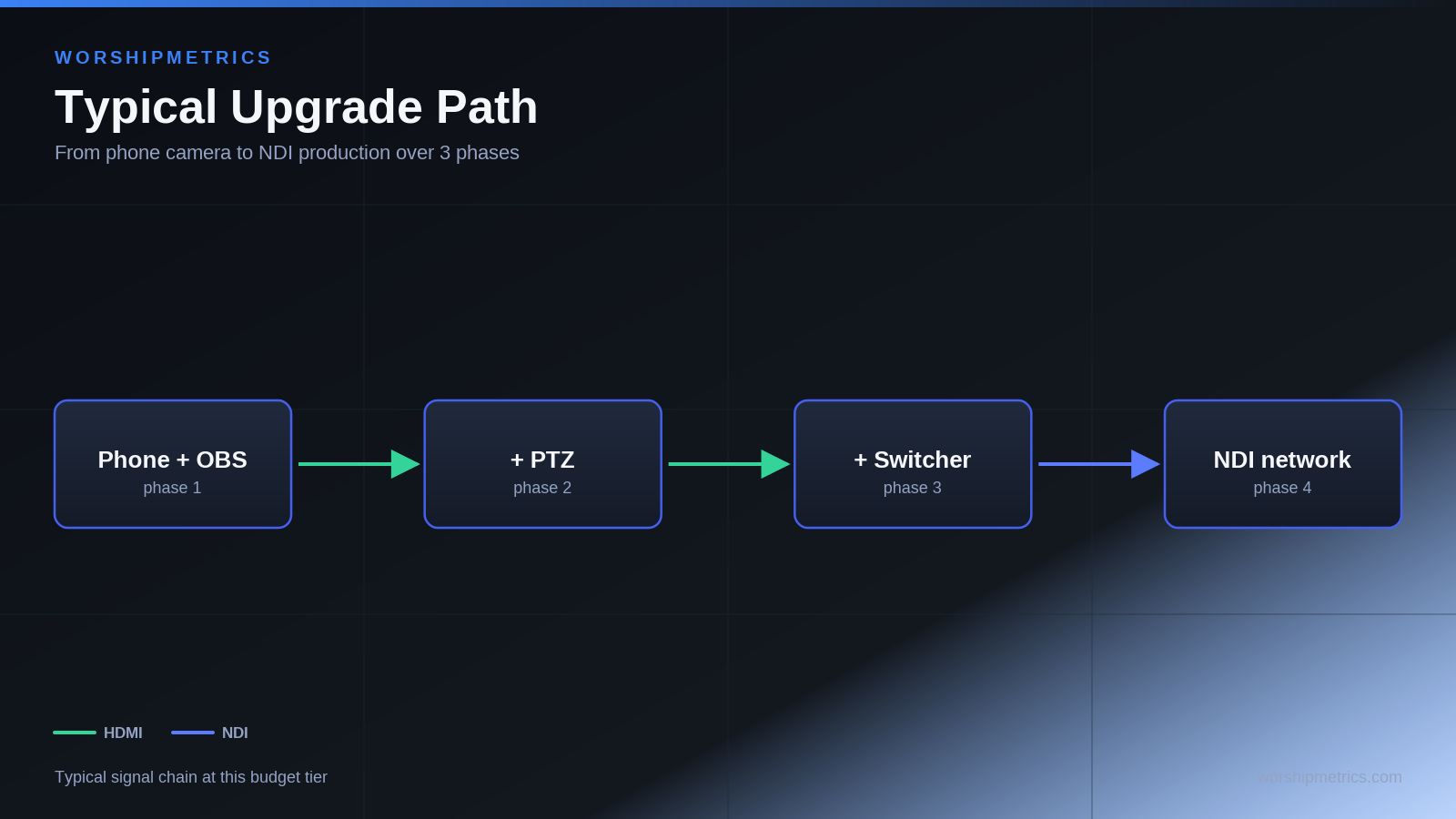
Year 1: Foundation Phase ($1,500-2,500)
Quarter 1: Internet and Audio
Your first budget goes to internet reliability and audio quality. These are foundational. No amount of fancy video gear matters if your internet is failing or your audio sounds terrible.
Upgrade to a business-class internet circuit (if you don’t have one). Budget $100/month increase = $300 in your Q1 budget. This is non-negotiable. If your internet is terrible, you can’t stream reliably.
Allocate remaining budget to audio: A basic USB mixer or interface ($100-200) and quality microphone ($100-150). Even a single channel of good audio beats multiple channels of cheap audio. Your pastor should be clearly audible. That’s the floor.
Quarter 2: Basic Video Capture
You need a camera. Your smartphone probably works, or invest in a Tenveo PTZ (around $200). Position it to see your worship space. This is your “we are streaming” statement. Even one static camera angle is better than nothing.
Budget remaining: ~$1,000
Quarter 3: Streaming Setup
ATEM Mini ($400) + basic HDMI capture card ($50) + OBS (free). You now have a functioning streaming setup. Video → switcher → capture card → PC → YouTube. It’s simple and it works.
Budget remaining: ~$550
Quarter 4: Monitoring and Documentation
Small monitor for your switcher position ($150). Surge protector and quality cables ($100). Most importantly: write down your procedures. Document runsheets, create checklists, record training videos for volunteers. Technical documentation is as important as gear.
Budget remaining: ~$300 (save this for Year 2 startup)
By end of Year 1, you have: Reliable internet, working camera, professional switcher, basic audio, streaming to YouTube. It’s functional and reliable.
Year 2: Professionalization Phase ($2,500-4,000)
Quarter 1: Professional Audio
Upgrade from basic USB mixer to a dedicated digital mixer like Behringer XR18 (~$400). Your audio engineer now has professional tools. Streaming audio quality jumps noticeably.
Add a wireless microphone system if you don’t have one (~$500-800). Your pastor should be wireless, your worship leader should be wireless. Hardwired is amateur.
Quarter 2: Second Camera and Networking
Add a second AVKANS PTZ camera ($500). You now have two camera angles. Invest in a managed PoE network switch ($300) to properly power and network your cameras.
Your production immediately looks more professional. Your operator can cut between angles, creating visual variety and pacing.
Quarter 3: Upgrade Switcher
Move from ATEM Mini to ATEM Mini Pro (~$500). Built-in recording is the key upgrade. You’re now archiving every service.
Budget for SSD recording storage (~$150). You have pristine archives independent from YouTube’s compression.
Quarter 4: Backup Systems and Training
Cellular hotspot for internet backup ($200). Backup wireless mic battery set ($100). Invest heavily in volunteer training: bring in someone to do a workshop, send your tech director to a conference, buy recording software for your PC ($150-300).
By end of Year 2, you have: Professional audio system, two-camera production, recording capability, backup internet, and trained volunteers. This is a genuinely professional system.
Year 3: Scaling Phase ($2,000-3,000)
Quarter 1-2: Third Camera
Add a third AVKANS camera (~$500-700). You now have full three-camera coverage. Your production has matured.
Invest in additional monitoring: audio monitoring headset system ($300), confidence monitor for technical director ($200). Your operation is more professional.
Quarter 2-3: Advanced Features
Conditional on your needs:
- ATEM Mini Extreme if you want more advanced switching (~$750)
- Upgrade mixer to Behringer X32 Compact if you need more channels (~$2,000, wait for Year 4)
- Hardware encoder if you want independent streaming infrastructure (~$400-800)
- vMix if you want advanced graphics and automation (~$800)
Choose one based on what’s actually limiting your current production.
Quarter 4: Post-Production Workflow
Invest in post-production infrastructure: editing PC ($1,500-2,000), editing software ($300-500), storage system (~$500). You’re now creating social content from your services.
By end of Year 3, you have: Three-camera system, advanced switching and/or graphics, post-production workflow, and professional volunteer team. You’re operating at broadcast level.
What NOT to Buy Too Early
Don’t buy advanced graphics before audio. People forgive lower third graphics errors. They don’t forgive unclear audio. Get audio right first.
Don’t buy a fourth camera before training operators on three. More cameras doesn’t help if your operator can’t frame them smoothly. Master three before adding four.
Don’t upgrade the switcher before upgrading the mixer. Your switcher is just video routing. Your mixer determines if people can hear you. Mixer first.
Don’t buy NDI cameras before you have network infrastructure. Three AVKANS cameras connected to a cheap consumer router will have network issues. Get the network right first, then add network-dependent cameras.
Don’t buy vMix before using OBS successfully. vMix is more powerful but more complex. Learn OBS thoroughly, then upgrade to vMix if you actually need the features.
The Investment Priority
Across all three years, here’s the actual priority:
- Internet reliability (non-negotiable)
- Audio quality (matters more than video)
- Video capture (one decent camera)
- Video switching (hardware switcher for reliability)
- Recording (archive your services)
- Multi-camera (add second, then third camera)
- Volunteer training (equals or exceeds equipment cost)
- Advanced features (graphics, automation, post-production)
Follow this priority and your dollars are well-spent.
Volunteer Training Budget
Many churches forget this: training costs money, and it’s worth it. Budget for it explicitly:
- Year 1: $500-800 (books, online courses, attending a conference)
- Year 2: $1,000-1,500 (bring in a consultant for a training day, send key volunteer to conference)
- Year 3: $500-1,000 (ongoing education, new volunteer training)
Investing in people is as important as investing in gear. Well-trained volunteers maximize the value of your equipment. Poorly-trained volunteers waste expensive gear.
Know What You Already Have
A roadmap starts from your current equipment. Before you price Year 1, map your current system against our system diagram. It’s the best way to get the best price: we can tell you what to reuse, what to upgrade, and what to add, and our Livestream Systems show where each phase can end up.
Managing the Transition
Each year, run new and old systems in parallel for at least one month before fully switching. When you add a second camera, both work simultaneously for a month before you make it primary. When you upgrade from ATEM Mini to Mini Pro, both receive the same feeds for a month.
This parallel operation is how you avoid Sunday service disasters. You’re never in a situation where you’re depending on untested equipment for a live broadcast.
Real Numbers: Three-Year Total
Year 1: $2,000 (internet increase: $300, camera/capture/mixer: $1,700) Year 2: $3,500 (wireless mics: $700, second camera + switch: $800, ATEM Mini Pro: $500, misc: $500, training: $1,000) Year 3: $2,500 (third camera: $500, monitoring: $500, advanced features: $800, post-production start: $700)
Total investment: $8,000 over three years.
At the end, you have a professional, three-camera broadcast system with post-production workflow. You have trained volunteers. You have archive of three years of services. You have broadcast-quality audio and video.
That’s achievable on a realistic church budget when you prioritize strategically.
Long-Term Sustainability
After Year 3, your annual AV budget should shift from capital equipment to maintenance and incremental upgrades:
- Volunteer training: $500-1,000/year
- Software licenses and subscriptions: $300-500/year
- Camera maintenance and replacement (one camera every 3-4 years): $500-700/year
- Network upgrades and additions: $300-500/year
- Archive storage expansion: $200-300/year
You’re maintaining and evolving the system, not constantly rebuilding. This is sustainable.
The Strategic Perspective
This roadmap assumes that media ministry is important to your church, and you’re willing to invest accordingly over time. Some churches never have this conversation. Others make it once and forget about it for five years. The churches that thrive are the ones that commit to a multi-year investment strategy.
Year 1 is about proving streaming works and is worth doing. Year 2 is about becoming professional. Year 3 is about scaling and sustaining. By Year 3, media ministry is integrated into your church’s identity, and it continues to evolve from there.
This isn’t a one-time purchase. It’s a commitment to building excellent media infrastructure that serves your congregation and community for years to come.