The Epiphan Pearl Mini can handle multiple video inputs simultaneously, allowing you to connect several cameras, feeds, or graphics sources. Beyond simple input switching, the Pearl Mini can record multiple angles simultaneously or apply intelligent switching rules. This article covers multi-input configuration for professional multi-camera church productions.
Understanding Multi-Input Capability
The Pearl Mini has two HDMI inputs, one SDI input and two USB inputs, and it can also take NDI|HX sources from your network; it records and streams up to three channels at once. You could connect a main camera, a secondary wide-angle camera, a graphics output (displaying lyrics or sermon notes), and other video sources all at once.
The Pearl Mini can then:
- Stream a switched feed (showing one input at a time based on switching rules)
- Record each input as a separate file simultaneously
- Record a combined switched output
This enables professional multi-camera production without needing complex switching software.
Connecting Multiple HDMI Sources
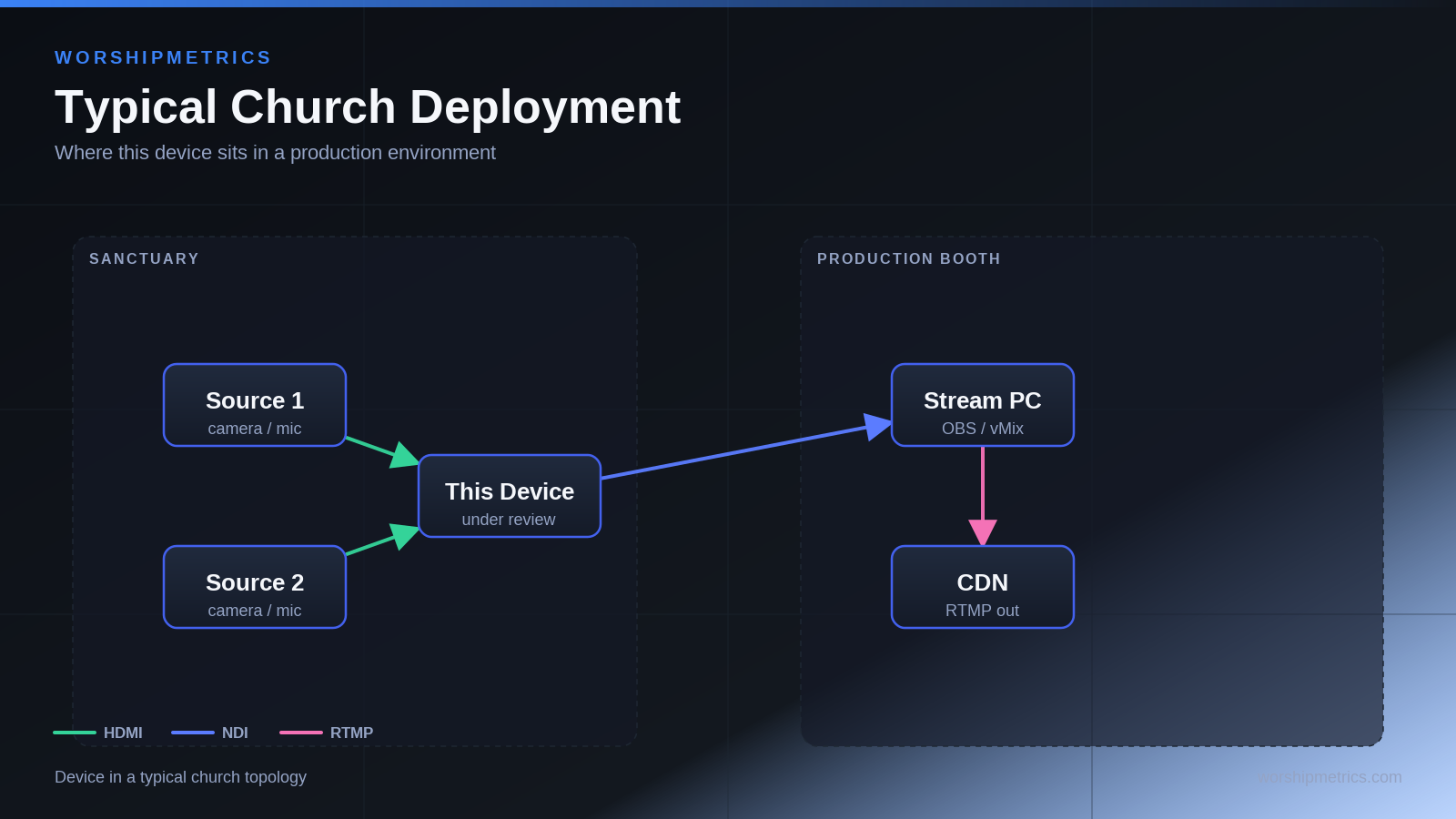
Access the Pearl Mini’s rear panel and connect your various video sources to its HDMI, SDI and USB inputs. Clearly label each input in the web interface for easy identification during operation.
Common church setup:
- Input 1: Primary worship/sermon camera (wide angle capturing the stage)
- Input 2: Close-up camera (tight shot of speaker or worship leader)
- Input 3: Graphics output (lyrics, announcements, graphics from your presentation software)
- Input 4: Backup camera (for redundancy or alternate angle)
Power on all connected video sources. In the web interface, you should see all inputs with live previews if they’re actively outputting video.
Configuring Switching Rules
The Pearl Mini can automatically switch between inputs based on configurable rules. This is where multi-camera productions become professional without requiring a live operator.
Navigate to Switching or Automation. The Pearl Mini presents options to define switching behavior:
You might create a rule: “If input 1 detects motion/activity, display input 1. If input 1 goes silent for 5 seconds, switch to input 3 (graphics). If input 2 detects activity and input 3 shows graphics, switch to input 2.”
These rules are configured through the web interface with dropdown menus and timing settings, not complex programming.
Alternatively, you can manually switch between inputs in real-time during your service. A trained operator can click camera buttons in the web interface to cut between cameras as needed.
Recording Multiple Inputs Simultaneously
Configure the Pearl Mini to record multiple inputs to separate files. When your service completes, you’ll have:
- A recording of the camera switching output (what was streamed)
- A separate recording of the primary camera
- A separate recording of the graphics output
- Separate recordings of any other inputs
This gives you maximum flexibility for post-production. In your editing software, you can:
- Use the switcher output as your base edit
- Cut in the close-up camera for specific moments
- Add graphics from the separate graphics recording
- Create derivative edits with different angle combinations
Bandwidth Implications
Multiple recording streams don’t significantly increase bandwidth consumption (they’re all local storage). However, streaming a switched output while recording multiple inputs does increase the Pearl Mini’s processing load.
Verify your service doesn’t exceed the Pearl Mini’s capabilities. For most churches with standard HD recording and streaming, multi-input operation is well within the device’s performance envelope.
Setting Recording Quality Per Input
You can configure different recording quality for different inputs. For example:
- Primary camera: Record at 1080p60 high quality
- Close-up camera: Record at 1080p30 quality
- Graphics output: Record at 720p quality (graphics don’t benefit from high bitrate)
This approach optimizes file sizes and storage usage while maintaining quality where it matters.
Creating Switching Presets
For recurring services with similar switching patterns, create presets. For example, create a “Sunday Service” preset that defines your typical camera switching rules and recording quality settings.
When you set up the Pearl Mini for Sunday services, simply load this preset and minimal configuration is needed. This consistency across services improves operational efficiency.
Streaming Multi-Camera Output
Your YouTube and Facebook streams display the switched output (the result of your camera switching rules or manual switching). Viewers see a professional multi-camera broadcast without seeing the complexity behind it.
For sophisticated churches, you could:
- Stream to Facebook at standard quality (1080p)
- Stream to YouTube at high quality (1080p60)
- Record the main switched output at archive quality
- Record all individual camera angles separately
Managing Storage with Multiple Recordings
Multiple simultaneous recordings consume storage more quickly. Calculate your storage needs:
- 4 simultaneous 1080p30 recordings for 2 hours = approximately 100-150 GB
- Your Pearl Mini’s built-in storage might provide 1-2 weeks of storage before needing to delete or archive
Establish a file management system:
- Download and back up recorded services weekly
- Organize by date and service type
- Archive high-quality main recordings permanently
- Optionally delete individual camera angles after 30 days (keeping only the switched output if space is limited)
Post-Production Workflow
With multi-angle recordings, your post-production capabilities expand dramatically. You can:
- Create highlight reels using the best angles
- Produce multi-camera edits for documentary-style content
- Extract individual camera angles for promotional videos
- Create tutorial videos of sermons with close-up graphics
Have a video editor in your congregation? Provide them with the multi-angle recordings and let them create professional content from your raw materials.
Training Operators for Manual Switching
If you’re manually switching cameras rather than using automated rules, train your operator on the Pearl Mini’s switching interface. The operator watches the service and clicks the appropriate camera button to frame each moment professionally.
This requires some training but creates fluid, natural-looking multi-camera broadcasts.
Backup Recording Strategy
With multi-input recording, you have inherent redundancy. If one camera fails, you still have recordings from other angles. You can create a continuous narrative even if a camera cuts out during critical moments.
For mission-critical services, this multi-angle recording provides insurance—you can always reconstruct the service from available angles.
Advanced: Multiple Output Streams
The Pearl Mini can simultaneously stream to multiple platforms at different qualities. Combined with multi-input recording, you can:
- Stream to YouTube at 1080p (archive quality)
- Stream to Facebook at 720p (bandwidth efficient)
- Record individual cameras at high quality
This is professional-grade broadcast capability in an appliance form factor.
The Epiphan Pearl Mini’s multi-input capability transforms it from a simple streaming device into a professional broadcast studio. For churches with ambitions for sophisticated video production, the Pearl Mini delivers comprehensive solutions.