Verdict
Start with the budget setup and upgrade incrementally — the fundamentals are the same at any price point.
Churches evaluating complete streaming systems often face a strategic question: should we invest significantly upfront in professional equipment, or start budget-conscious and upgrade incrementally? This comparison looks at two realistic setups — one under $1000 and one under $5000 — to help tech directors understand the value of incremental investment versus premium deployment.
Budget Setup (Under $1,000)
A complete streaming system for under $1000 requires careful component selection but is genuinely achievable. Here’s a realistic configuration:
Camera: AVKANS PTZ-U100 ($450) provides 30x zoom, NDI output, and solid build quality. For a single-camera sanctuary setup, this is adequate for professional-looking stream.
Mixer: Behringer XR18 ($1200 at full price, but used units or sales get closer to budget) or an analog mixer with separate audio interface ($200-300). The XR18 is a stretch at full retail, but used or sale pricing makes it feasible.
Switcher: ATEM Mini ($300) provides four HDMI inputs, reliable switching, and excellent software integration. For basic switching between camera, graphics, and media, it’s perfect.
Streaming Software: OBS Studio (free) handles all encoding and streaming to multiple platforms. The learning curve is manageable with abundant community documentation.
Total Investment: Approximately $1000-1200 for camera, mixer/audio interface, and switcher.
The strengths of this setup are simplicity and affordability. Every component is proven, widely used, and well-documented. A team member learning this stack can find answers quickly. The equipment will reliably serve a church for three to five years.
The limitations are feature depth and redundancy. You don’t have backup systems. Advanced graphics or complex keying requires careful workflow. There’s no confidence monitoring on the switcher. But for straightforward weekly streaming, this setup is genuinely sufficient.
Pro Setup (Under $5,000)
A professional streaming system under $5000 includes higher-grade components with more redundancy and capability:
Camera: SMTAV BX30N ($500) adds better optical quality and slightly more robust engineering than budget competitors. Or invest in two cameras ($1000 total) for dynamic multi-camera switching.
Mixer: Behringer X32 ($2500) or Allen & Heath SQ-5 ($4500, slightly over budget) provides 32 channels, superior preamps, and professional build quality. The mixer is the centerpiece of professional audio quality.
Switcher: ATEM Mini Pro ISO ($1500) provides confidence monitoring, ISO recording outputs, and more sophisticated switching capability. The ISO outputs enable clip-based editing after service.
Streaming Software: vMix ($600-800 annually) provides professional-grade features like advanced graphics, sophisticated keying, and higher output resolution.
Redundancy: Budget includes backup capture card, secondary ethernet for redundant streaming, and headroom for future expansion.
Total Investment: Approximately $5000-6000 depending on configuration and mixer choice.
The strengths are professional capability, redundancy, and scalability. The setup supports more complex production, multiple cameras, and sophisticated graphics. Confidence monitoring and ISO recording outputs enable professional-quality workflows. The equipment is built for ten-year ownership.
The limitation is complexity. Configuring and operating this system requires trained personnel. Learning curve is steeper. Ongoing maintenance is more involved. But the capability is substantially greater.
Incremental Upgrading Strategy
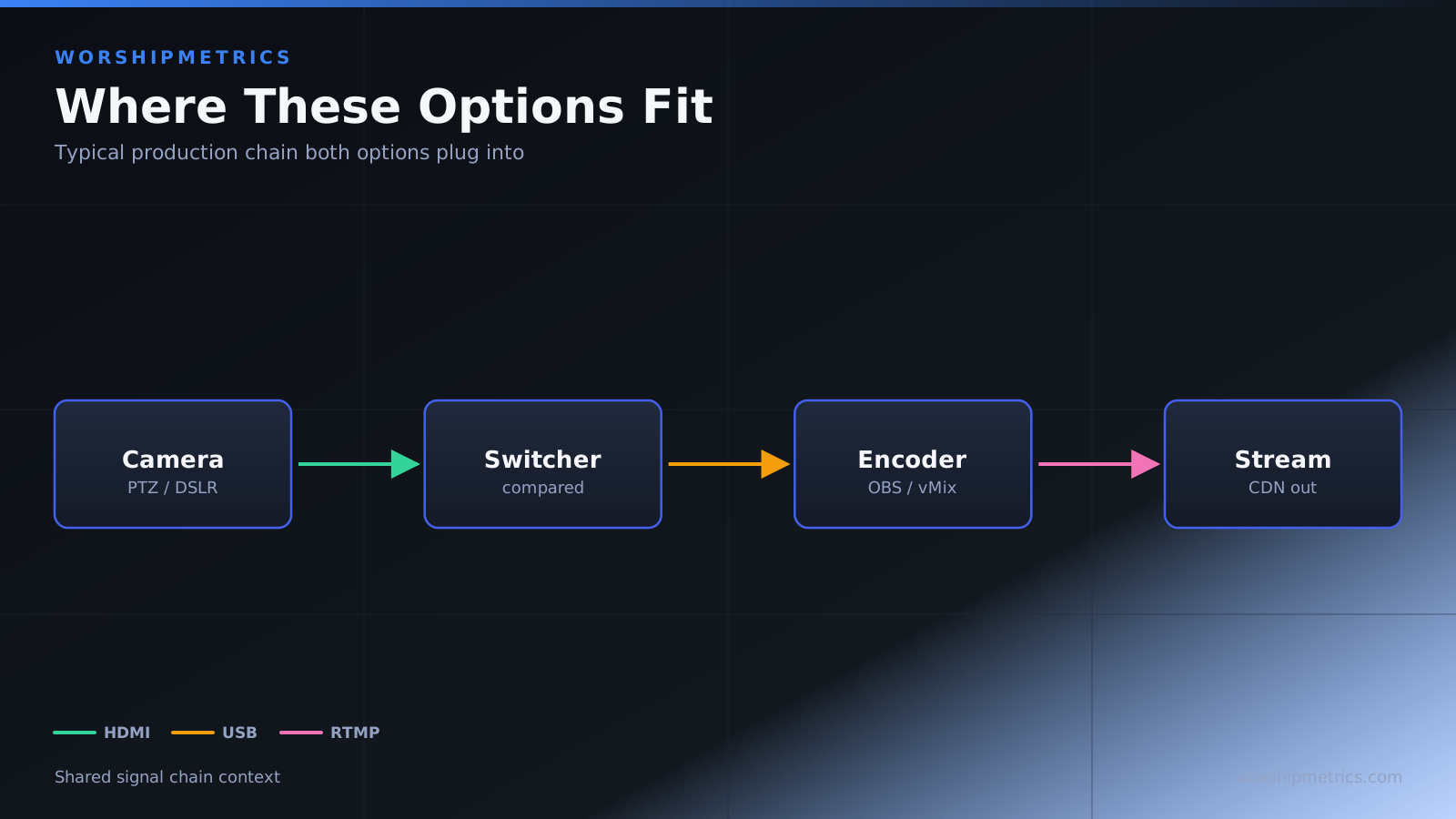
The interesting insight comparing these setups is that the fundamentals are identical at both price points. Both have camera, mixer, switcher, and streaming software. The budget setup uses entry-level versions; the pro setup uses professional-grade versions. But the architecture is the same.
This suggests a pragmatic strategy: start with the budget setup, prove the concept, and upgrade incrementally. After a year of experience, you understand which components are bottlenecks. You might discover audio quality matters more than camera quality, or multi-camera switching is essential. Then you upgrade strategically.
Which Should Your Church Choose?
Choose budget setup if you’re exploring streaming for the first time. The low investment minimizes risk. If streaming doesn’t become important, you haven’t overinvested. If it does become important, you understand your needs better.
Choose budget setup if your team is volunteer-based. The simpler equipment and more abundant community documentation make learning faster.
Choose budget setup if streaming is occasional or secondary. If most ministry happens in-person and streaming is supplementary, the budget setup is sufficient.
Choose pro setup if streaming is mission-critical to your ministry. If church members depend on streaming to participate, the reliability and capability of professional equipment justifies investment.
Choose pro setup if you have dedicated production staff. Trained professionals operate and maintain complex systems efficiently.
Choose pro setup if you’re planning long-term. If this equipment will serve your church for a decade, professional build quality and feature depth make sense.
Choose incremental upgrading in most cases. Start budget, prove the concept, and upgrade based on what you learn about your actual needs. This avoids overinvesting in features you don’t use.
For most churches, the pragmatic strategy is starting budget and upgrading incrementally. The fundamentals don’t change; you’re refining quality and capability. After a year of budget-setup streaming, you’ll know exactly which components to upgrade first.
The choice between budget and professional streaming setups should be informed by your ministry priorities and timeline. Budget setups work well for churches exploring streaming or with volunteer teams. Professional setups make sense when streaming is mission-critical or you have dedicated staff. However, the most practical strategy is starting budget and upgrading incrementally as your streaming needs and capabilities mature. The architecture doesn’t change; you’re improving components strategically based on real experience rather than hypothetical requirements.