The Honest Reality of $500 AV
Under $500, you’re not building a broadcast-quality production system. You’re building a “we’re streaming our worship service” system. The video might be 720p instead of 1080p. The audio might be serviceable rather than pristine. The production might have one camera angle instead of three. But here’s the crucial thing: it works, it’s reliable, and it’s dramatically better than not streaming at all.
Many churches get stuck in analysis paralysis waiting for “enough money” to do streaming right. Meanwhile, people who can’t attend in person miss out on worship. The members who moved away don’t get to participate. The shut-ins can’t connect. You’re delaying ministry because you’re waiting for perfect equipment. This is the wrong calculation.
A $500 streaming setup serves your congregation today. You’ll upgrade later when you have budget. But starting now means real people experience real benefit starting now.
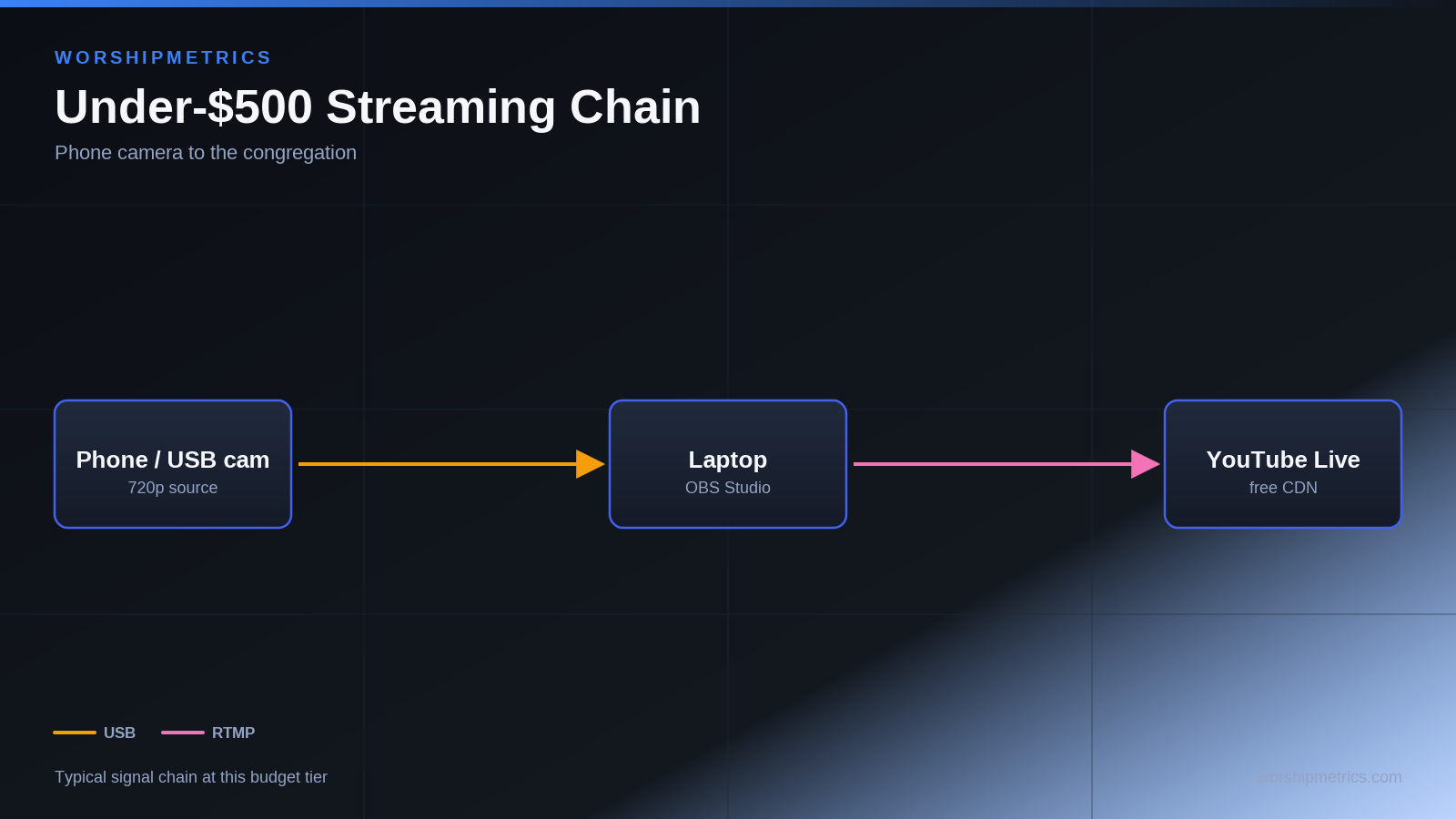
The Camera: You Probably Already Own It
If you have a smartphone with a decent camera, you’re done with the camera investment. A modern iPhone or Android phone outputs better video quality than most broadcast systems from five years ago. Mount it on a $20 tripod, position it to see your stage and pulpit, and you have your camera.
The only reason to buy a dedicated camera at this tier is if you don’t have a smartphone or if your smartphone camera is genuinely poor quality. In that case, a Tenveo VHD30U is around $200. It’s a compact PTZ camera that outputs HDMI, includes a built-in microphone, and gives you motorized pan-tilt-zoom control. Not fancy, but absolutely competent.
The smartphone option costs $0 (you already own it). The Tenveo option costs $200 and leaves you $300 for everything else.
Audio Mixing on a Budget
Don’t cheap out on audio. This is where $500 setups sound amateur or professional.
If you already have a basic PA system with a mixer, you can often repurpose its output. A simple audio interface (like the Yamaha MG16XU with built-in USB audio) costs around $150 and allows you to take a mix output from your existing PA system and feed it into your streaming PC via USB. Your streaming audience gets the same clean audio mix as your in-room congregation.
If you don’t have a PA system, you still need audio for streaming. A USB microphone like the Blue Yeti ($80-100) gives you a single high-quality microphone input to your streaming PC. It’s not ideal for a full worship service with multiple microphones, but it’s legitimate and sounds professional.
The philosophy here: invest in microphone input quality. Your streaming audience doesn’t care if you have a fancy mixer with lots of features. They care that vocals are clear and music is balanced. A simple setup with one good microphone beats an elaborate setup with cheap microphones.
Video Capture and OBS
You need a way to capture your smartphone or camera output into your streaming PC. If you’re using a smartphone, you can use OBS’s built-in camera capture (point OBS at your phone’s camera). If you’re using a dedicated camera like the Tenveo, you need a video capture device.
A basic HDMI to USB video capture dongle costs $20-50. Connect your camera’s HDMI output to the capture dongle, connect the dongle to your PC via USB, and OBS recognizes your camera as a video source.
The streaming PC itself should be something you already own. An older Windows laptop or MacBook that’s still functional handles OBS streaming without issues. You’re not editing video or rendering graphics—you’re just capturing a camera feed and encoding it to H.264. CPU requirements are minimal.
Total Budget Breakdown at Under $500
- Smartphone camera: $0 (existing) or Tenveo VHD30U ($200)
- Audio interface or USB mixer: $100-150
- USB video capture device (if needed): $30
- OBS (streaming software): $0 (free)
- YouTube channel: $0 (free)
- Total: $130-180
You have money left over. Spend it on:
- Better microphone for your audio input ($50-100)
- Backup USB cable for reliability ($10)
- Network Ethernet cable to hardwire your PC (if WiFi is unreliable) ($10)
- Tripod or camera mount for stable positioning ($20-50)
Making the Limitations Work for You
One camera means your production is simple and authentic. You’re not trying to be a broadcast. You’re showing your congregation what’s happening in your worship space. This authenticity is actually appealing to people. It says “we’re doing ministry, not entertainment.”
One audio input (if you’re using a USB microphone) means you’re being intentional about what the streaming audience hears. Maybe it’s just the pastor and worship leader vocals with music in background. That’s legitimate.
720p video (what you’ll get from most smartphones or budget cameras) is perfectly watchable on a smartphone or tablet, which is how most people watch anyway. They’re not watching on a big TV expecting 4K resolution. They’re watching on their phone while they’re doing something else.
This is the beauty of starting small. You’re not limited by budget—you’re focused by constraint. You do fewer things, but you do them well.
The Operational Setup
Thirty minutes before your service, position your camera to see your stage. Connect your audio input to your PC. Open OBS. Create a single scene: camera feed from your video capture device, audio from your USB mixer, and maybe a simple graphic with your church name and service time.
Test the stream by starting OBS streaming for 10 seconds and checking YouTube to verify video and audio are working. Stop the test stream.
When your service begins, click “Start Streaming” in OBS. YouTube is now live. Click the same button when your service ends. That’s your entire operation.
It’s simple because it has to be. You don’t have complex graphics or multiple switching decisions. You press two buttons (start and stop) and everything in between is automatic.
Growing From Here
After three months of streaming with your $500 setup, you’ll understand what matters in your specific context. Maybe you’ll discover that 80% of your online audience watches on mobile, which means vertical video would actually be better. Maybe you’ll realize that audio quality is the most common complaint, which means upgrading to a better microphone makes sense. Maybe you’ll understand that one camera angle limits your production, and adding a second camera would dramatically improve the experience.
At that point, you upgrade. You add a second camera. You move from OBS to vMix. You invest in a proper mixer. But you’re making these decisions from experience, not theory.
For now, the wins are real and immediate: people who can’t attend in person experience your worship. Members who moved away stay connected. Shut-ins feel included. That’s not small. That’s ministry.
The question isn’t “Can I afford professional streaming?” The question is “Can I delay starting streaming until I have a perfect budget?” The answer to that second question should be no.